
Bundle a release
Ten agent branches are worth nothing until they land. A release merges them into one branch, one at a time, in the order you choose, and checks the result after every merge.
Starting one
Section titled “Starting one”Bundle sits in the In review column header. It opens with the tickets that are ready to merge.
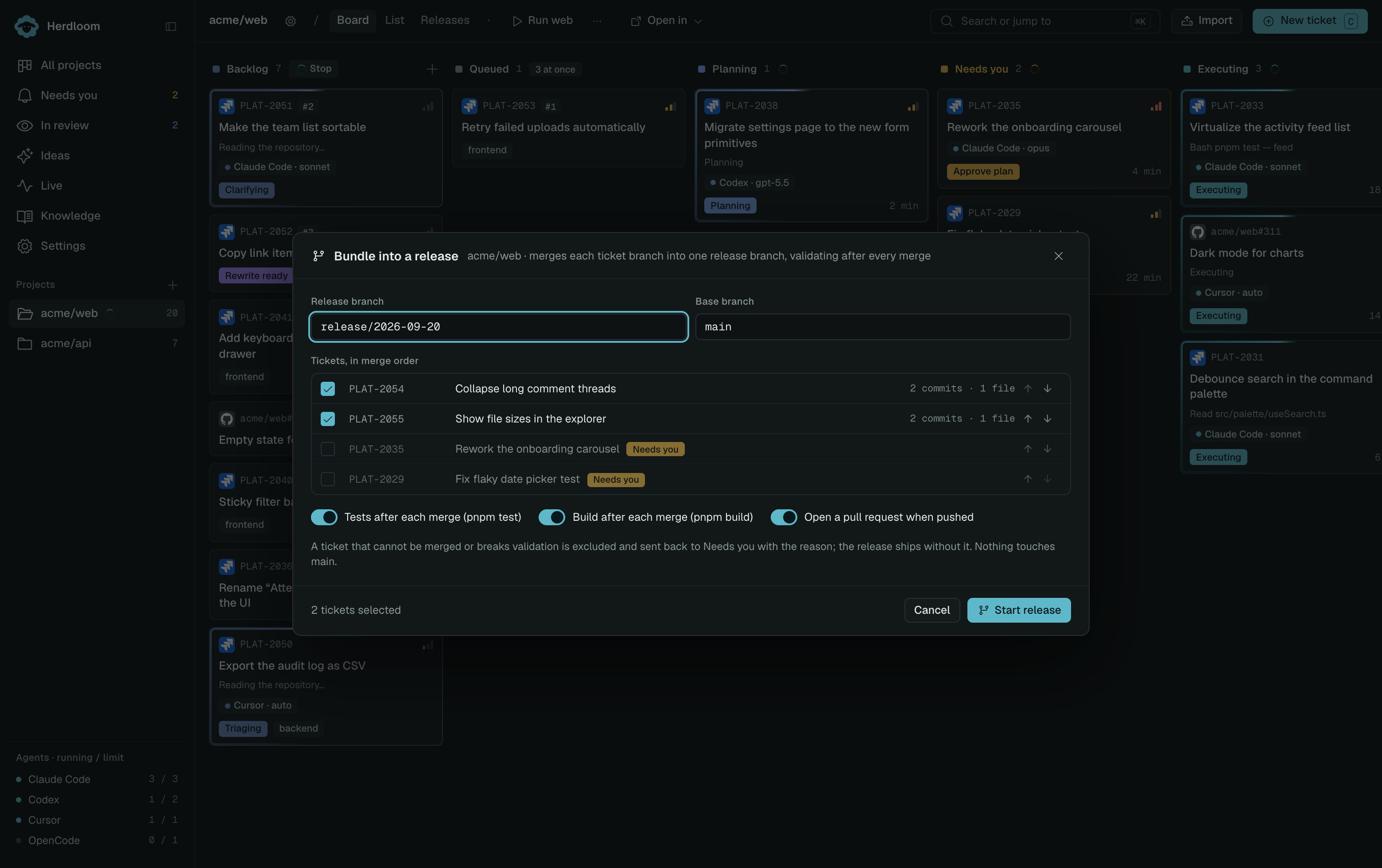
Name the release branch, or keep the dated default. The base branch beside it is the project’s own.
Under that, the tickets, in merge order. Each row shows how many commits and how many files it brings. The arrows move a ticket up or down; the checkbox leaves one out. Tickets still waiting on a person are listed but cannot be picked, with an amber label saying so.
Order matters when two branches touch the same file. Overlapping files are shown before the release starts, so you can put the one that rewrites a file ahead of the one that adds a line to it.
Three switches sit at the bottom. Tests and Build run the project’s own commands after every merge, and are greyed out until those commands are set in project settings. Open a pull request when pushed decides what happens at the end.
What happens then
Section titled “What happens then”Herdloom cuts the release branch from the base branch, then merges each ticket branch into it in turn. After each merge it runs whichever of tests and build you switched on. A merge conflict is handed to an agent working in the release checkout.
A ticket that cannot be merged, or whose merge breaks the tests or the build, is excluded. It is sent back to Needs you with the reason, and it keeps its branch. The release carries on without it. That is the point of merging one at a time: one bad branch costs you one ticket, not the batch.
Nothing touches the base branch while this runs.
Landing it
Section titled “Landing it”The Releases tab, under the project and under All projects, shows every release with its tickets and the log of what happened.
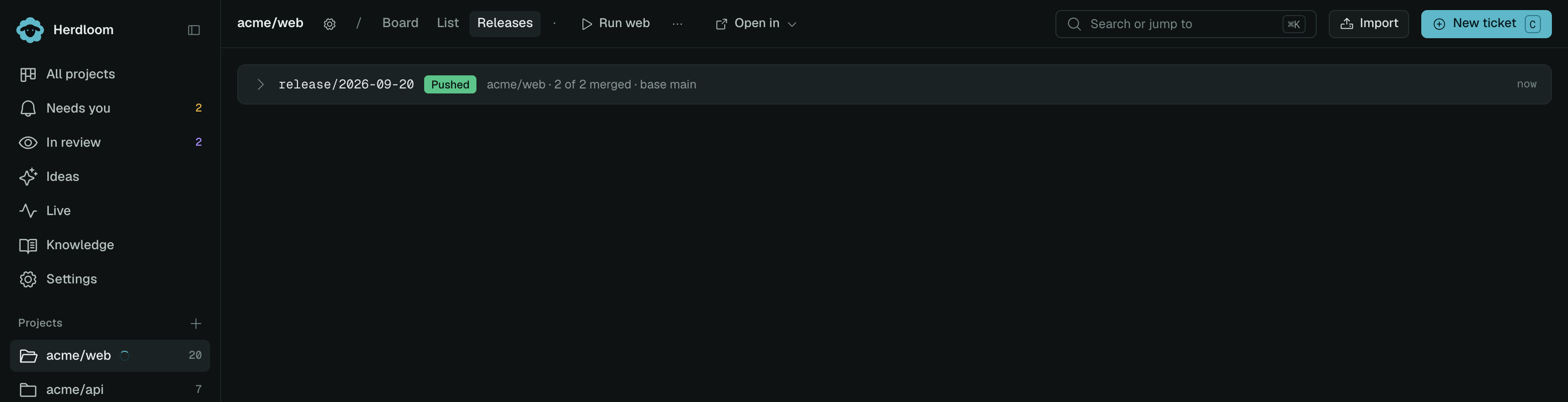
With a remote, the release branch is pushed and, if you asked for one, a pull request is opened against the base branch. It merges like any other pull request, and the tickets in it move to Done when it lands.
Without a remote, the release is marked ready locally and Merge into main merges it into the base branch in the main checkout. The log above the button names every step: the branch it created, each ticket it merged, and anything it excluded.
Open and merge a pull request covers the other route. The board explains In review and In PR.