
Approve a plan
Plan before executing is on by default. The planning phase is read-only: the agent reads the repository and comes back with a plan, and the ticket waits in Needs you until you look at it. This is the cheapest moment to catch a misunderstanding, before a single file has changed.
The plan page
Section titled “The plan page”A ticket waiting on its plan shows a Plan ready card in its drawer with a Review plan button. That opens the plan full width.
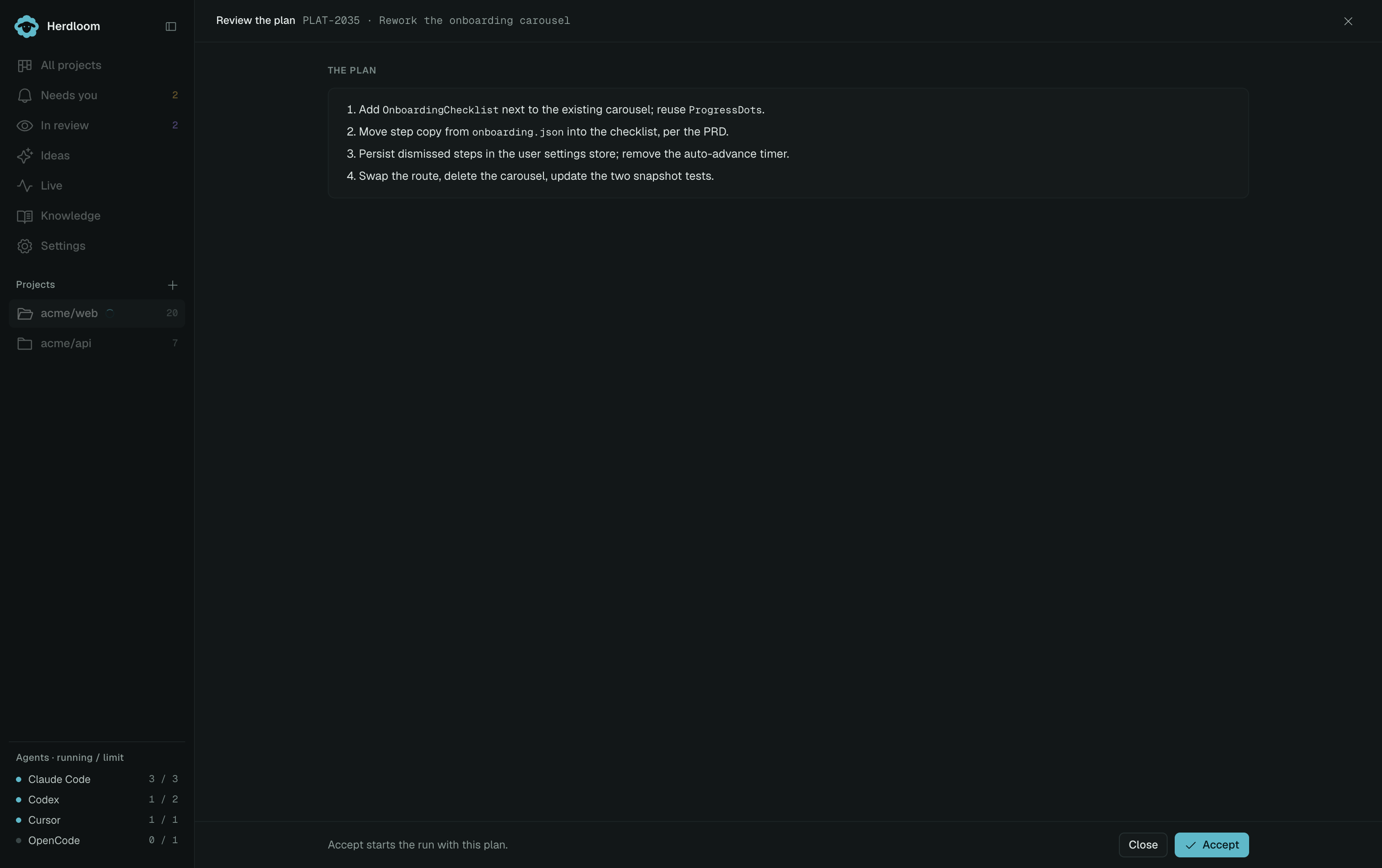
The steps are numbered and name real paths. A good plan reads like instructions to a colleague: which file to read and why, what to add, what to leave alone.
Files lists what the planner expects to touch. Compare it against what the ticket asked for. A file you did not expect is the earliest warning you will get.
Risks is where the planner says what it is unsure about, or what will break if a step is done carelessly. This is the part worth reading twice.
Questions, when there are any, come first, above the plan, with one answer box. The agent asks only what it could not settle from the code.
The context behind the plan
Section titled “The context behind the plan”A plan is not only text. The planner also records the spans of code it relied on while writing it. When the run starts, those spans are read fresh from the ticket’s worktree and placed under the plan, so the agent that writes the code starts from what the planner actually saw rather than searching for it again. This is what lets one tool plan and a different tool execute.
Knowledge findings from Ideas or the planner travel with the plan too. Execution reuses them when the ticket, source rules and referenced pages are unchanged; approving a plan does not automatically start another knowledge consultation. If relevant context changed while the plan waited, Herdloom refreshes it. Knowledge reuse explains the checks and the manual Re-consult option.
When the planner and the executor are the same tool, execution resumes the planning session as well, so the reasoning behind the plan is still in the room.
Approving
Section titled “Approving”Approve and run starts the execute run with this plan, and sends your answer along when you typed one. Leave
the box empty and the agent uses its judgement on the open questions. ⌘↵ approves without reaching
for the mouse.
The ticket moves to Executing, and from there through verification and, with review on for the project, an independent reviewer, before it reaches you again.
Requesting changes
Section titled “Requesting changes”Choose Request changes, describe what the planner should change, then choose Send revision request. Your answers to the planner’s questions are included. This starts another planning pass; implementation waits for approval of the updated plan.
Leaving the plan for later
Section titled “Leaving the plan for later”Close leaves the plan where it is. The ticket stays in Needs you and the plan is still there when you come back, so closing the page costs nothing.
To reject the plan outright, move the card back to Backlog. That stops the run. The ticket keeps its description and its agents, so you can fix the ticket, add context or instructions, and queue it again for a fresh plan.
A planning phase that fails, rather than producing a plan you dislike, offers Plan again in the drawer instead of an execution with no plan behind it.
Answer the questions an agent raises mid-run in Needs you, or read what comes back in Review.