
Import from Jira
Herdloom reads Jira issues and turns them into tickets. The connection is read-only until you say otherwise, so importing changes nothing on the Jira side.
Connect Jira
Section titled “Connect Jira”Go to Settings, then Integrations, then Add connection.
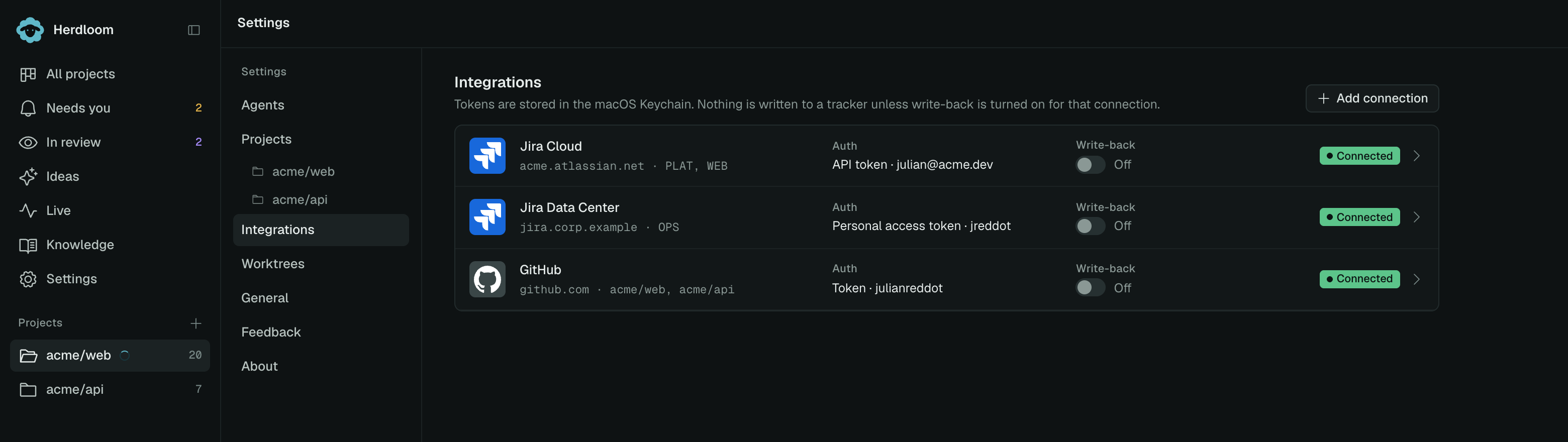
Jira Cloud needs the site URL, such as https://acme.atlassian.net, the email you sign in with,
and an API token. Create the token in your Atlassian account under Security, then API tokens.
Jira Data Center needs the server URL, your username, and a personal access token, created in your Jira profile under Personal Access Tokens.
The Label field is how the connection shows up elsewhere in the app, so name it after the projects it
covers, such as PLAT, WEB. Test connection saves the form first, so what you test is what you keep.
Tokens are kept in the macOS Keychain.
Import issues
Section titled “Import issues”Press Import in the toolbar. Pick the project the issues belong to, then paste issue URLs, one per line:
https://acme.atlassian.net/browse/PLAT-2044https://acme.atlassian.net/browse/PLAT-2051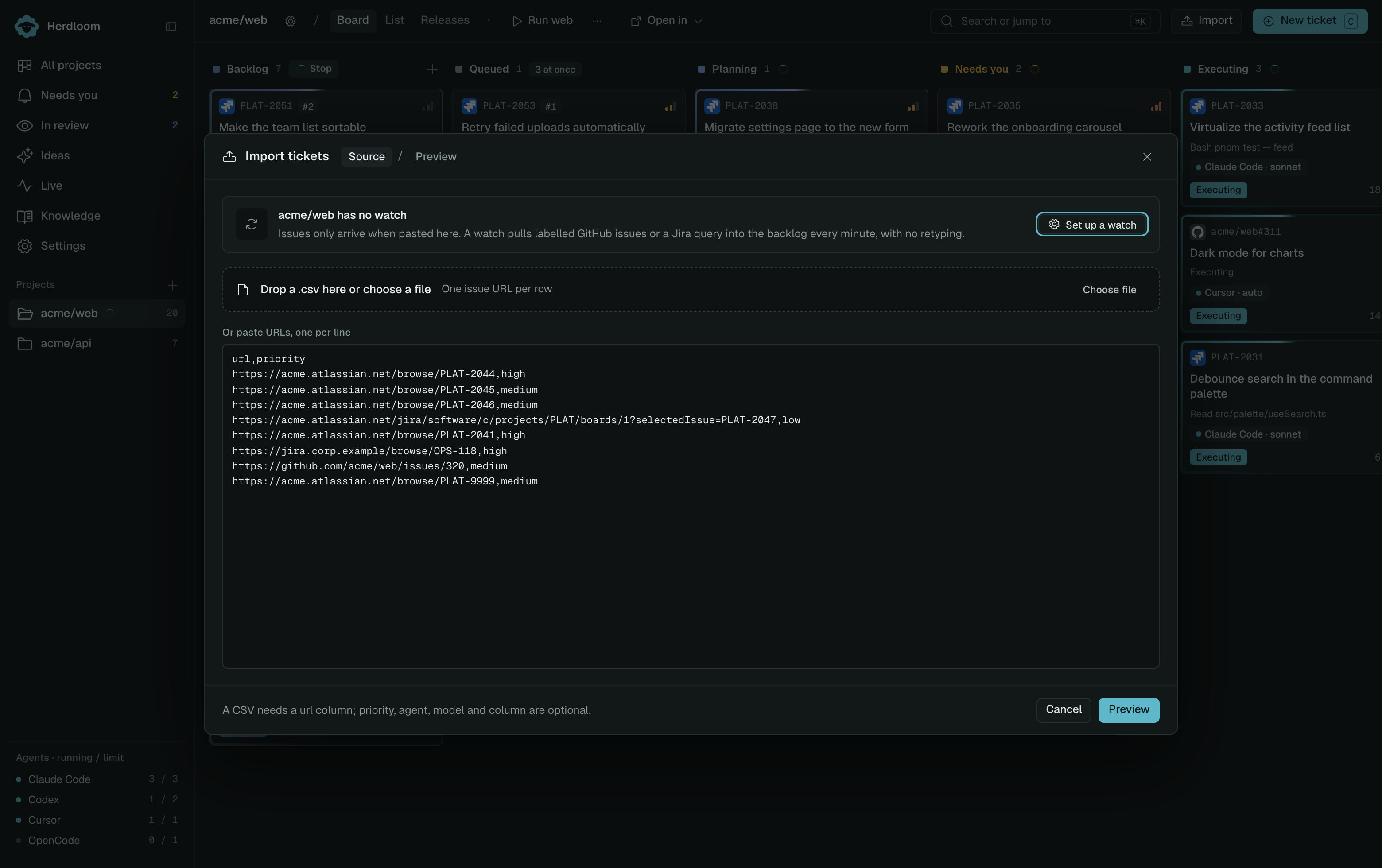
Preview looks every issue up and shows what it found before anything is created: New, Already on board, Not found, or No connection when no saved connection matches that Jira site. Only new rows are ticked. The second step also sets the column, the default agent and model, and whether the batch plans first. Nothing exists until you press Import.
What comes across
Section titled “What comes across”- Title and description. Jira’s rich text is converted to Markdown, whether it arrives from Jira Cloud or from Data Center’s visual editor.
- Priority, mapped onto Herdloom’s own scale, and labels.
- Comments, as a section at the end of the ticket.
- Attachments, as a list of links in their own section. The files are not downloaded, and the links need a Jira session to open.
A ticket keeps its issue key and a link back to the issue. Refresh on the ticket re-fetches it from Jira when the issue has moved on.
Write-back is off by default
Section titled “Write-back is off by default”Nothing is written to Jira unless you turn write-back on for that connection, and it is a per connection switch. With it on:
- When an agent starts on the ticket, Herdloom comments with the agent and the branch name, and moves the issue to In Progress.
- When a pull request opens, it adds the link as a remote link and a comment, and moves the issue to In Review.
- When the work lands, it moves the issue to Done and comments that it merged.
Transitions use whichever matching transition the workflow actually offers. When no Done transition is available from the issue’s current status, Herdloom says so in the comment instead of forcing it.
Stop pasting URLs and let a query feed the backlog with a watch, or bring a list of issues in at once with a CSV.