
Import a list of links
When the issues you want are already in a spreadsheet, a query export or a filter you saved, a CSV is faster than pasting URLs one at a time. Herdloom looks every row up, shows you what it found, and creates nothing until you agree.
The file
Section titled “The file”One column is required: url. The header may also call it link, issue or issue url. Everything
else is optional.
url,priority,agent,model,columnhttps://acme.atlassian.net/browse/PLAT-2044,high,claude,,backloghttps://acme.atlassian.net/browse/PLAT-2051,,codex,,queuedhttps://github.com/acme/web/issues/320,p2,,,- priority accepts Jira and GitHub spellings as well as Herdloom’s own:
p1,blocker,critical,high,normal,minorand so on all land somewhere sensible. - agent names the coding agent that ticket runs on:
claude,codex,cursor,opencode,antigravityorcopilot. - model names the model within that agent.
- column is where the ticket lands,
backlogorqueued.
Each of these overrides the batch default for that one row. A blank cell takes the default.
A file with no header works too: any line containing a URL is read as one issue, so a plain list of links pasted into a text file is a valid import.
Preview before anything is created
Section titled “Preview before anything is created”Press Import in the toolbar, pick the project, then drop the file on the dialog or use Choose file.
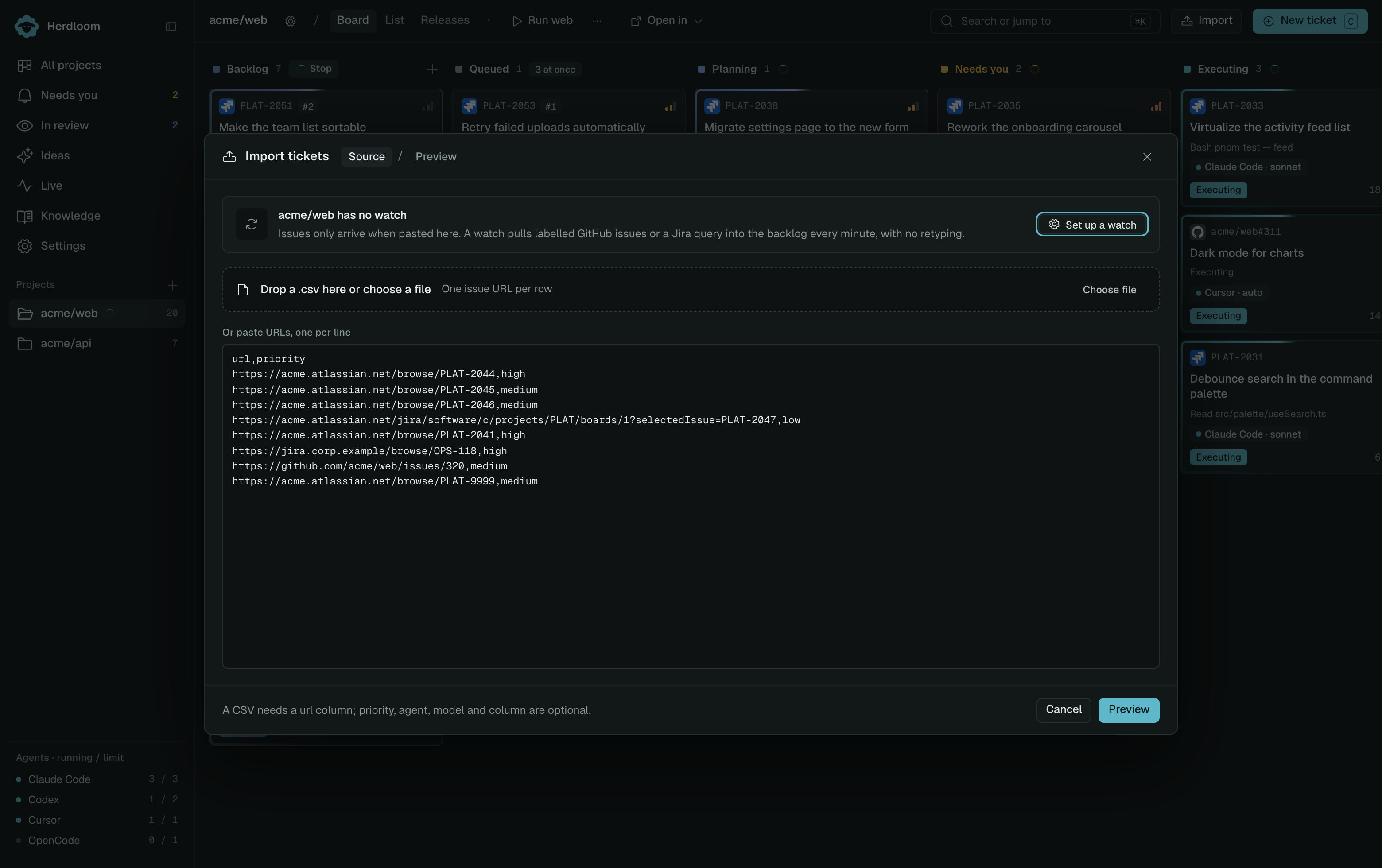
Preview looks up every row and labels it:
| Label | Meaning |
|---|---|
| New | Found, and not on the board. Ticked by default. |
| Already on board | This project already has a ticket for that issue, or the row appears twice in the file. |
| Not found | The tracker returned nothing for that key. |
| No connection | No saved connection matches that Jira site. |
| Other repository | A GitHub issue from a repository that is not this project’s remote. |
| Invalid | Not a Jira or GitHub issue URL. |
Only rows marked New can be imported, and you can untick any of them. The footer counts what you are about to create and names the project it goes into. Back returns to the first step with the file still loaded, so a wrong project or a wrong file is one click to correct.
The second step also holds the batch defaults: the column, the default agent and model, and whether these tickets plan before executing. Rows that carry their own agent, model or column keep theirs.
For a backlog that keeps arriving, set up a watch instead, then put the imported pile in order with triage.