
Watch the Live view
Open Live from the sidebar to watch work across your projects, or just the project you have selected. Choose Flock, City, Matrix or Terminal in the header. Flock is the default; if you have already picked a view, Herdloom remembers it. Escape returns to the board.
A night meadow with one sheep for each ticket being worked on, in review or waiting for you. More tickets at work means a busier flock.
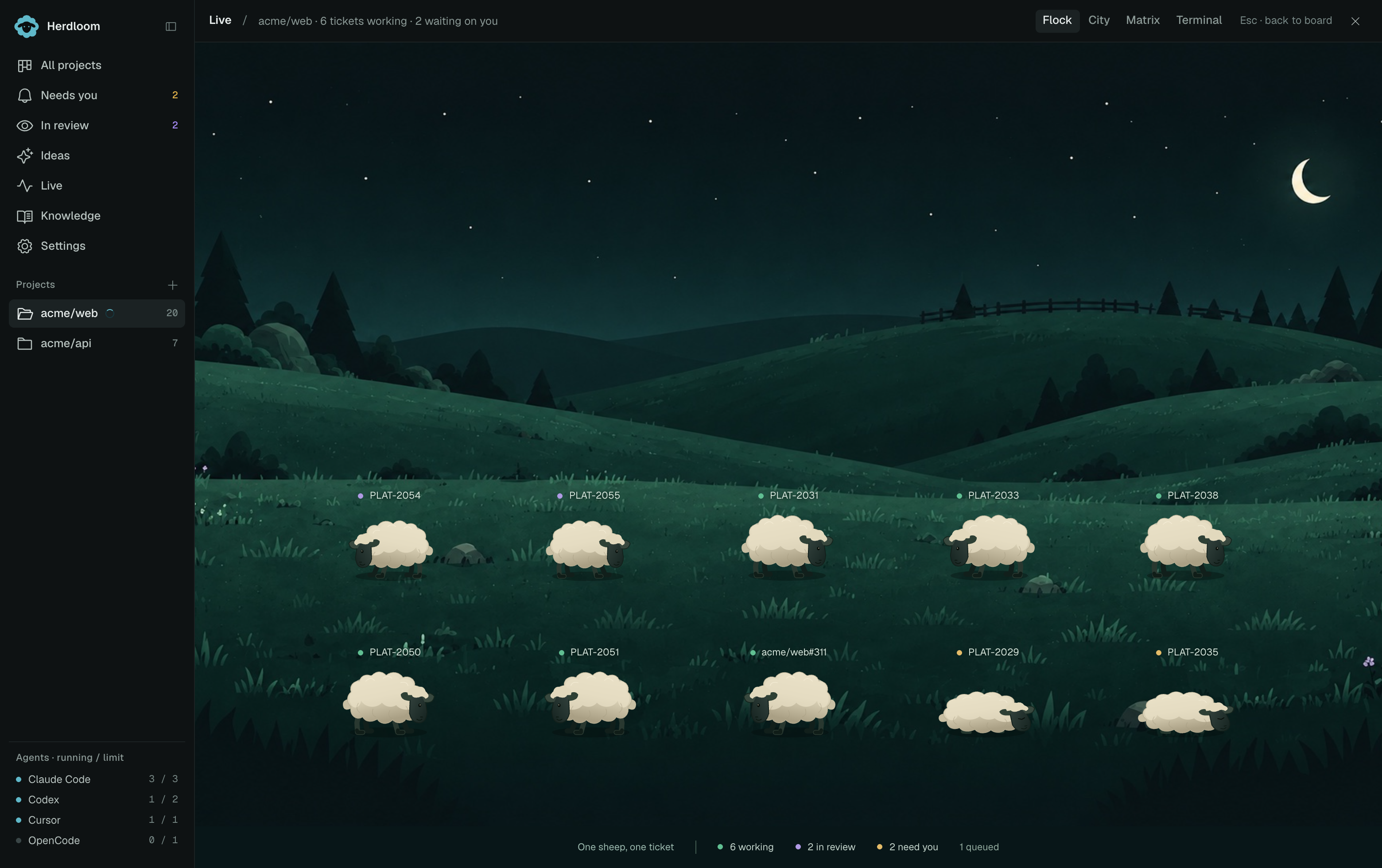
- Working sheep graze and shuffle, with a green dot beside the ticket key.
- In review sheep stand alert, with a purple dot.
- Needs you sheep sit and sleep, with an amber dot and floating Zs.
Hover over a sheep to see its ticket, agent and current activity. Click it to open the ticket panel. Sheep move as ticket statuses change, and leave the flock when the work is done.
The counts below the meadow show working, review and waiting tickets, plus anything queued. Queued tickets do not have sheep yet. When the flock is too large to fit, use the arrows beside the counts to see the rest.
A miniature district at night, with lit windows, streets, parks and construction sites.
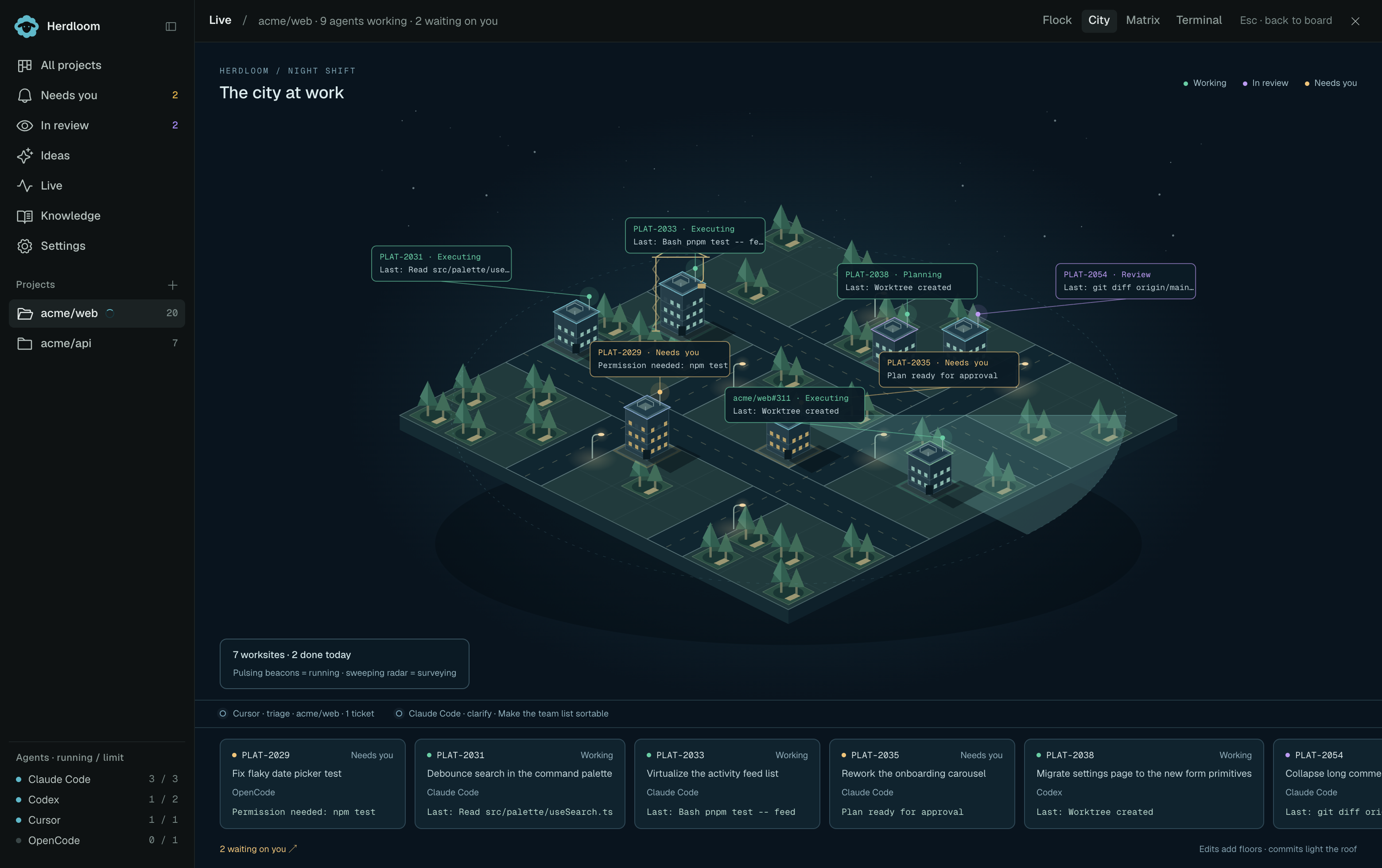
Files appearing in agent activity become worksites. Edits add floors and light more windows; cranes keep moving while edited worksites are running, and a commit briefly lights the roof. Pulsing rooftop beacons mark running agents: green for working tickets and purple for review. Tickets waiting on you have a steady amber beacon.
Labels on the map show ticket keys, phases and the last observed action. Hover or focus a building to see its file. Sites belonging to the same ticket highlight together. Click a building or label, or choose a ticket from the strip below the city, to open its panel. Triage and shaping passes sweep a radar beam across the district and are listed above the ticket strip.
The city fits the window. On a busy project, the map shows a selection of sites and the ticket strip keeps every active ticket within reach.
Matrix
Section titled “Matrix”Rain, in bands.
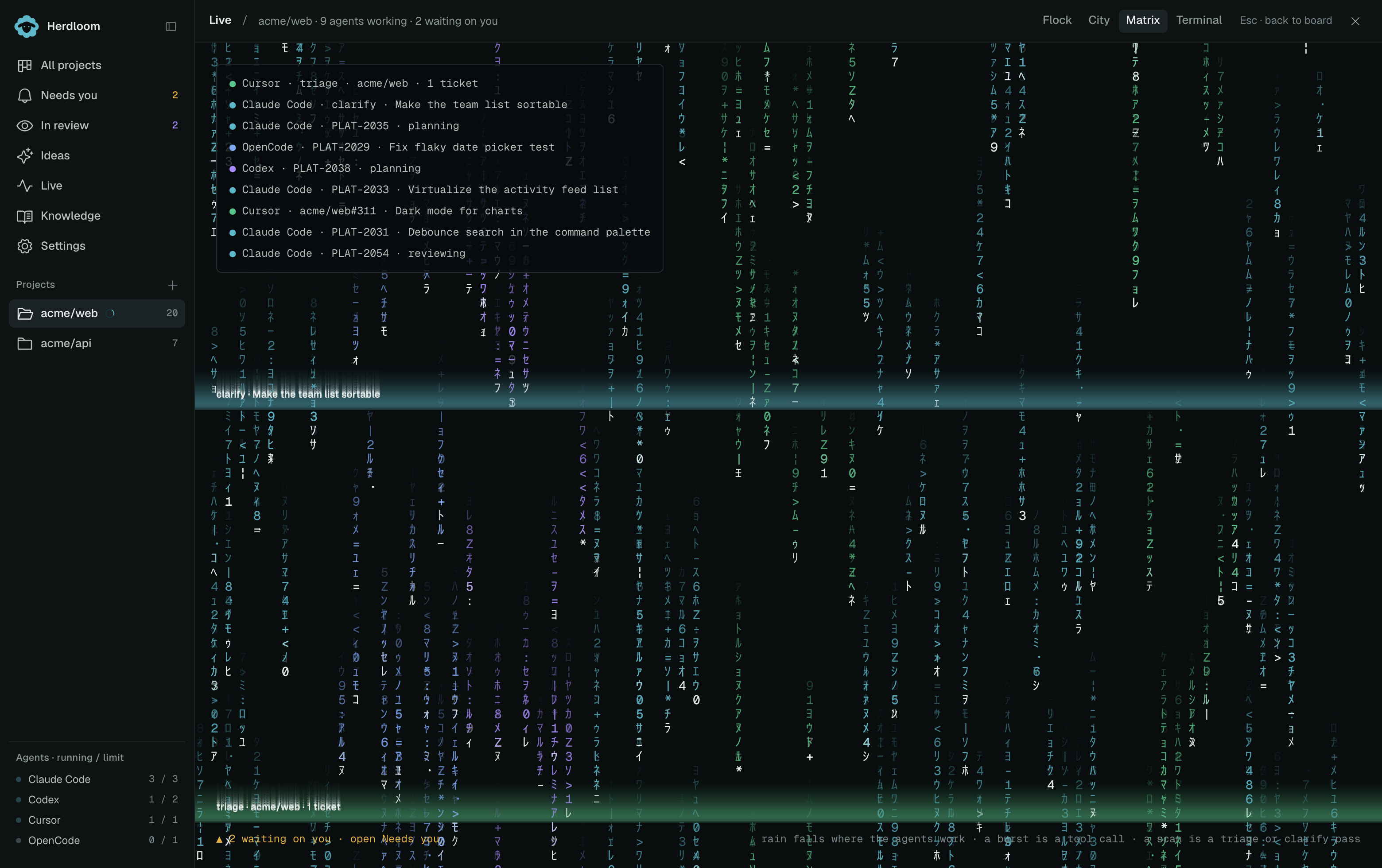
Each band belongs to an agent, and rain falls where that agent is working. A burst in a band is a tool call. A band that scans across the screen is a triage or a shaping pass. A quiet agent’s band thins out.
Terminal
Section titled “Terminal”One CRT-style screen per running agent, with green phosphor text, subtle scanlines and that agent’s own output arriving live. Amber messages draw attention to verdicts and requests.
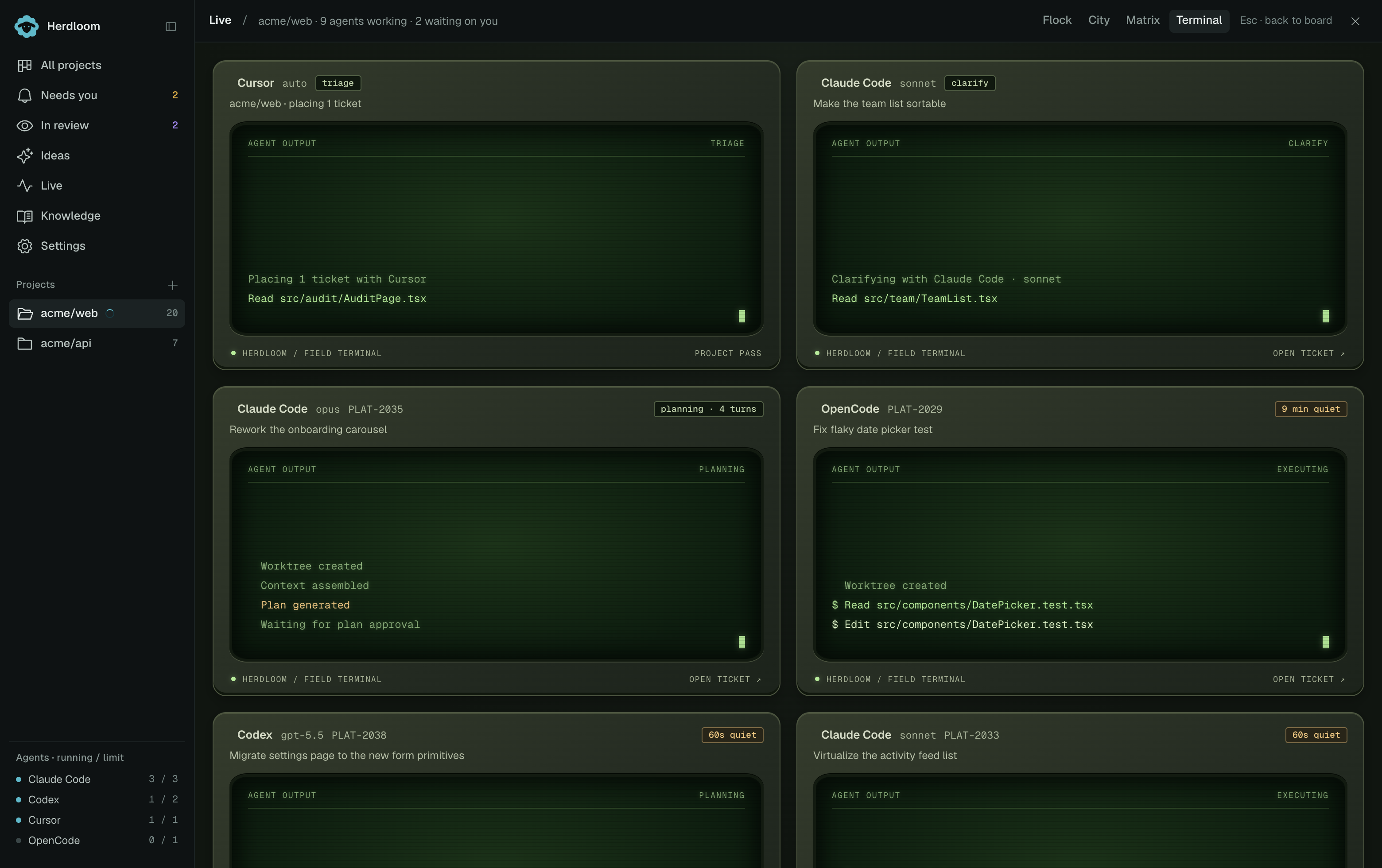
Each lane is headed by the agent, the model, the ticket key and the ticket title. Under it, the run as it happens: the branch being created, the checkout becoming ready, the session starting, then the work. Tool calls are green, edits are white, verdicts are amber. An agent that has gone silent gets a chip in the corner saying how long it has been quiet.
This is the scene to use when you want to know what an agent is actually doing.
Following a ticket
Section titled “Following a ticket”Click a sheep, a terminal lane, a city building or a Matrix band to open its ticket. City has a ticket strip below the map; Matrix has a status card listing each run and pass. Their amber link at the bottom opens Needs you. Terminal has a waiting lane with the tickets that need attention.
When nothing is running
Section titled “When nothing is running”Flock still shows tickets in review and waiting for you. When none remain, the meadow is empty. The other views show the last run that finished, today’s tally and a shortcut to Needs you when there is something waiting.
The board is where the same tickets can be acted on. Needs you gathers the tickets waiting for your decision.