
Run the app
Reviewing a branch means looking at the app, not only the diff. The Play button starts it.
The first press
Section titled “The first press”Run app sits in the project header. The first time you press it, Herdloom reads the repository
for things it knows how to start: package scripts at the root and in every workspace package, Nx
applications with a serve target, a Django project, a Compose file, or a bare index.html, which
Herdloom serves itself.
What it finds opens as a list you can correct.
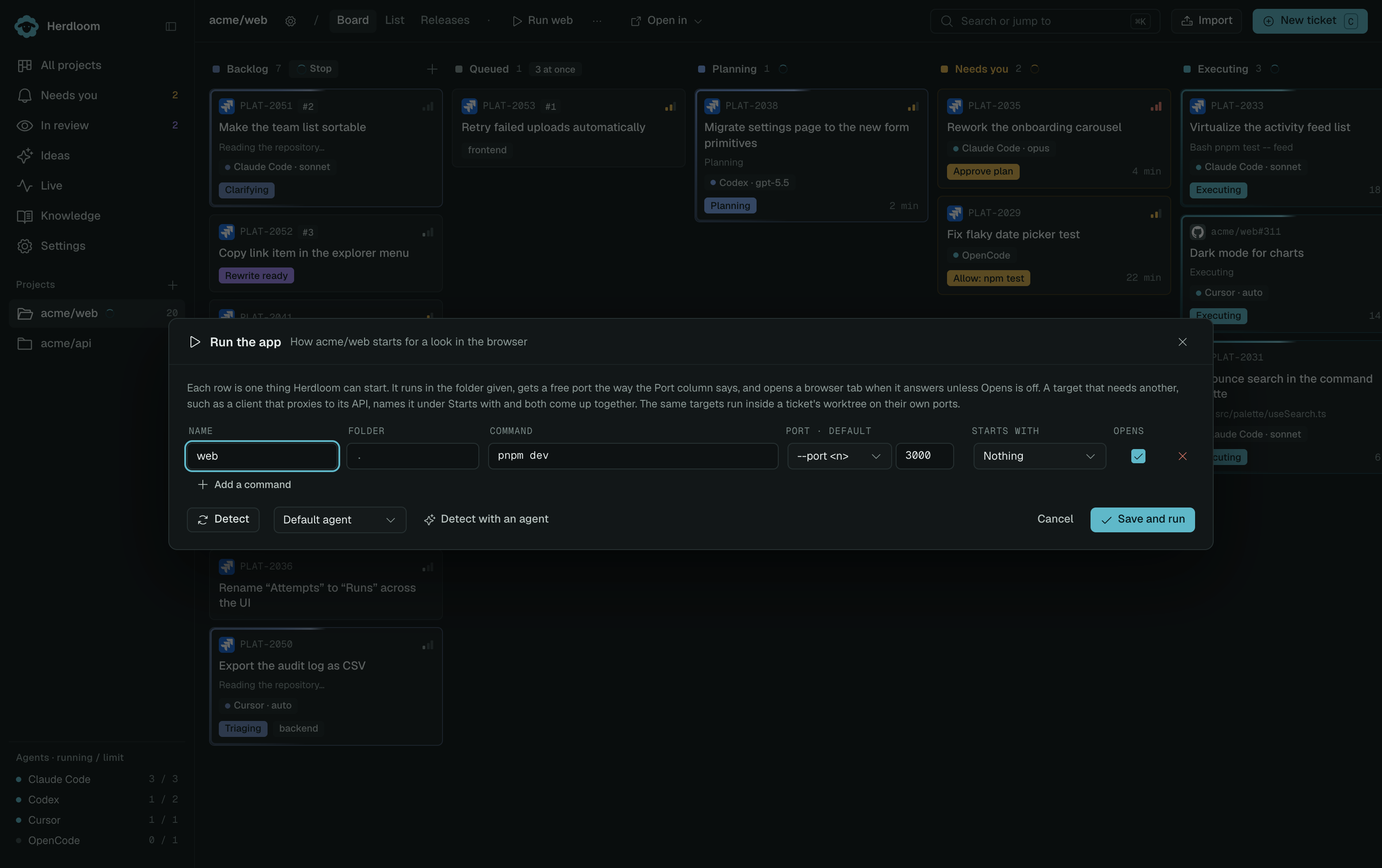
Each row is one thing that can be started. The Command is what runs, the Folder is where it runs, and Opens decides whether a browser tab is opened when the server answers. A backend with no page of its own has that switch off. A client that proxies to a backend names it under Starts with, so one press brings both up in the right order.
Detection wires that pairing itself where it can, by reading the client’s own configuration for the address it proxies to.
When the guesses fall short, Detect with an agent has a read-only pass read the repository, READMEs included, and propose the commands. What the agent said is shown in a panel of its own, separate from what Herdloom found. A repository that starts through a Makefile or a paragraph of prose usually needs this.
The list is saved on the project, and the Run the app card in project settings edits it later.
Each row says how its command takes a port and what the default is. Herdloom starts at the framework’s own default, so the main checkout keeps the port people expect. A server started for a ticket branch takes the next free one.
That is what makes a comparison possible. The main checkout on its usual address and a ticket’s branch beside it, both running, one tab each.
Running a ticket’s branch
Section titled “Running a ticket’s branch”The same Play button appears in the ticket drawer, and starts the same targets inside that ticket’s checkout. Members of a work item share that folder, so every member previews the combined app. The work-item panel also has Run app. If the checkout was parked after landing, Restore worktree to run it brings it back first.
A running server shows as a chip with its port, with Open, Output and Stop beside it. A ticket card on the board says which port its branch is running on. Output keeps the last couple of hundred lines, with secrets redacted the way every log is.
Seeing all merged changes
Section titled “Seeing all merged changes”After a work item lands, use Run app in the project header to start the main checkout. It now
contains the committed changes from every merged item. Its dependencies are prepared separately:
Git does not copy node_modules or dist from a worktree when branches merge.
For a new scaffold, detect commands from the ticket’s checkout while the code is still there; after
merging, the project header can detect them in main. Commands stay readable, such as npm run dev.
Development servers usually do not require dist; run the build command to generate production output.
Stopping
Section titled “Stopping”Stop ends the server and anything it started, then anything still holding the port, and waits for the port to be free before it reports done. A port another process refuses to give up is named in the error.
A checkout is never removed while a server is running in it.
To publish locally merged changes, use Changes in the project header. Dependencies and build output remain local.
Read the diff for the other half of a review. Open in your editor hands the same folder to your own tools.