
Answer a question
An agent that is unsure does not guess. It stops, and the ticket moves to Needs you with the question on it.
Two things wait for you there. A question, which the agent wrote because the code could not answer it. And a permission request, which is a tool the agent asked for and was denied.
Where the questions appear
Section titled “Where the questions appear”Needs you in the sidebar collects every waiting ticket across projects, one swimlane per project, with the total in the badge. A project’s own board has the same column. The colour is amber, and amber is used for nothing else.
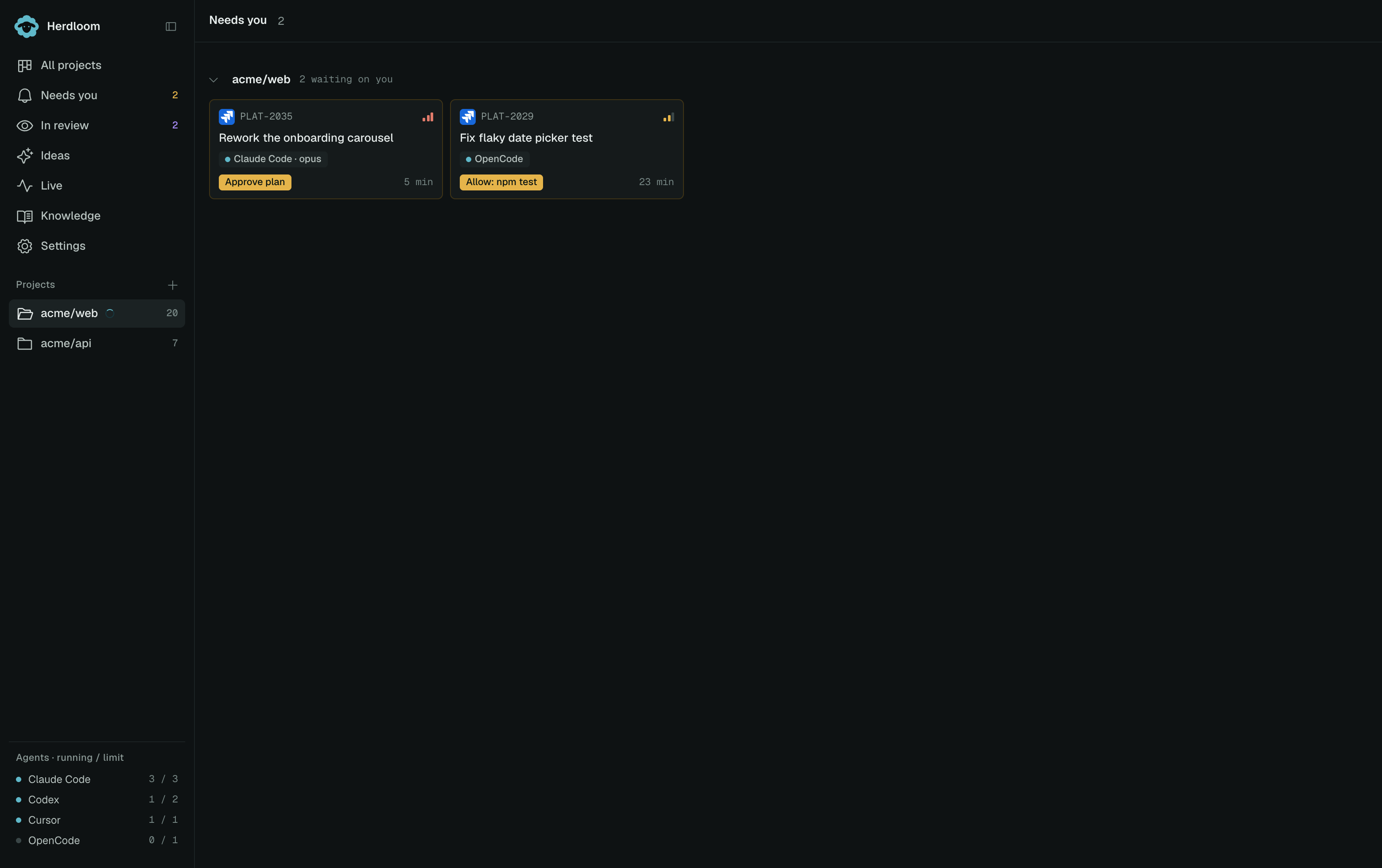
The label on the card says which kind of stop it is. Plan has a question means the agent asked before it started. A question raised during the run carries the same amber treatment, in the ticket drawer rather than on a plan page.
A short chime plays when a ticket lands in Needs you. There is a switch for it in Settings.
Answering a question in a plan
Section titled “Answering a question in a plan”Open the card and the plan page opens with the question at the top, above the plan itself. There is one answer box. Type into it and choose Approve and run, and the answer goes to the agent along with the approved plan.
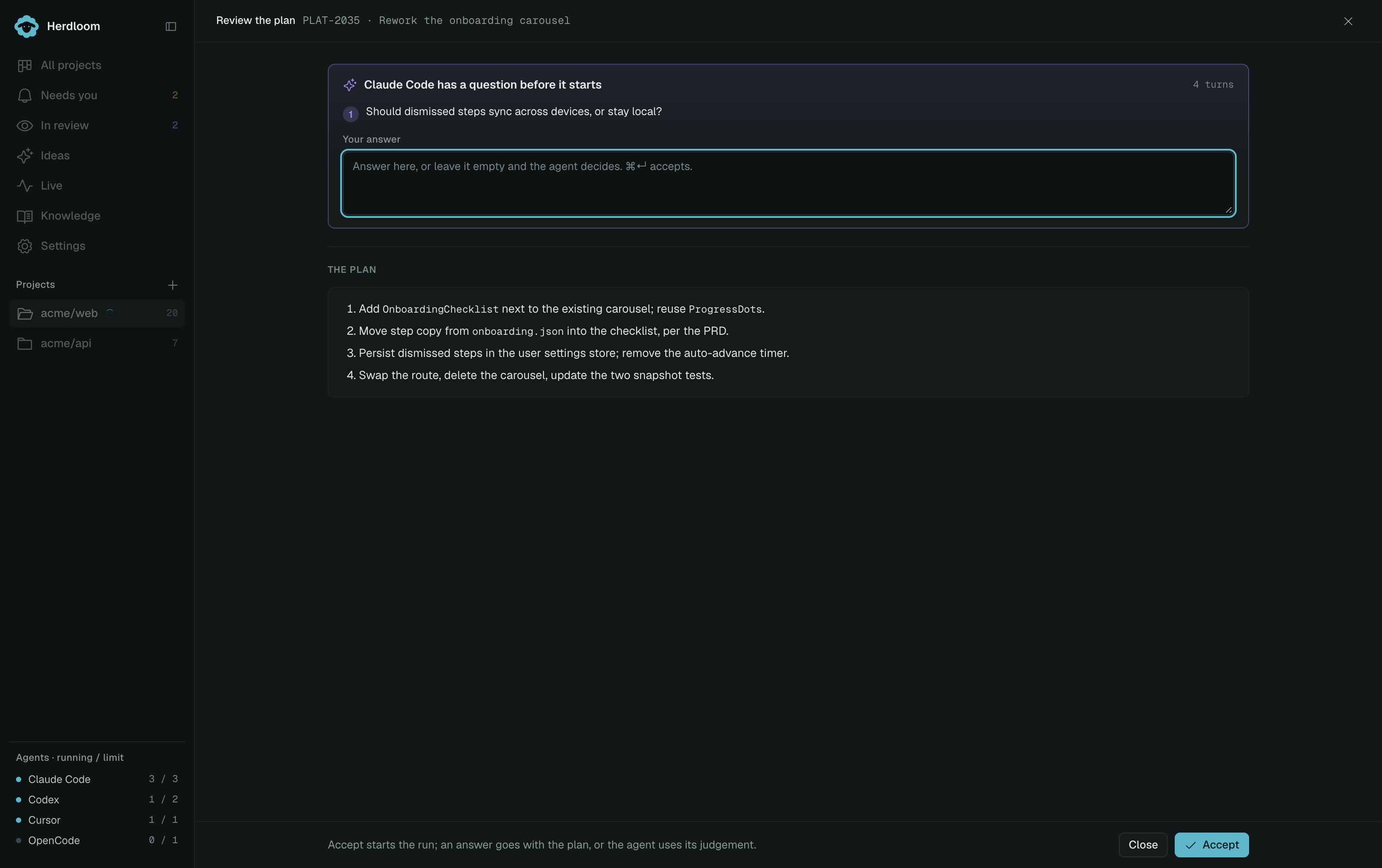
The box may stay empty. Accepting with nothing in it starts the run anyway, and the agent uses its own judgement on the point it raised. That is the right choice when either answer is fine, or when the agent has already said which way it would go.
A question raised mid-run works the same way. The answer box is always there, Enter sends it, and the other button is Run without answering.
Permission requests
Section titled “Permission requests”Every run is told which tools it may use. When an agent reaches for one it does not have, the run stops and the ticket arrives in Needs you as a permission request naming the tool.
Granting it once lets this run continue. Granting it for the project adds it to what that agent may do in that repository from now on, including runs you are not watching. Grant the narrow one when you are unsure; the request comes back if it is needed again.
Letting the project decide
Section titled “Letting the project decide”A project can answer its own questions. The Needs you row in Automation has one switch: decide open questions without waiting. With it on, a question in a plan is answered by the agent’s own judgement and the run continues.
That switch never applies to a permission request, and never to a failed or stuck run. Those always wait for a person.
Approve a plan covers the rest of the plan page. Needs you lists every other reason a ticket stops there.