
Worktrees
Every work item owns one checkout and branch, shared by its tickets. Settings → Worktrees lists the checkouts, their disk usage, and cleanup controls.
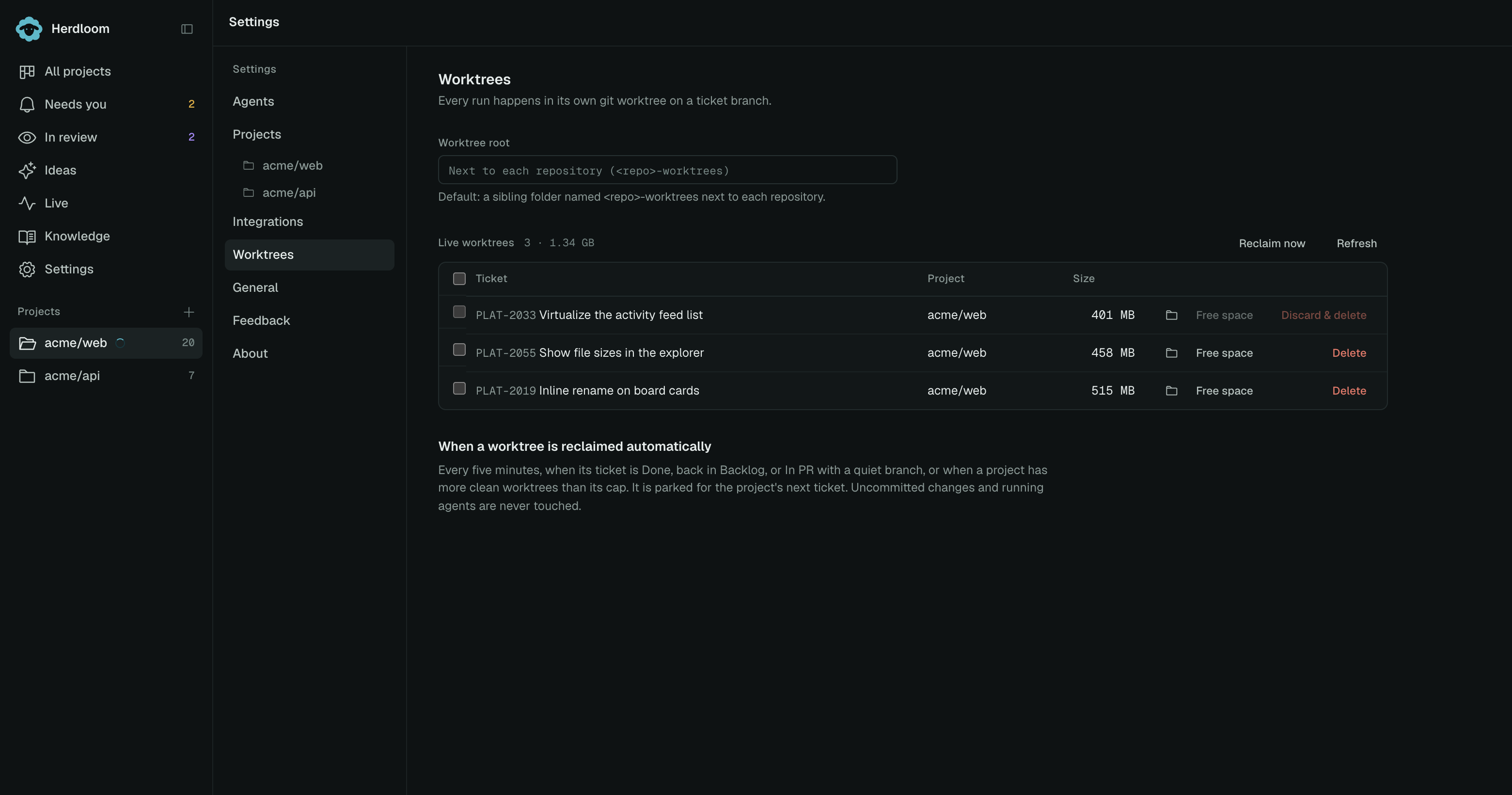
The worktree root
Section titled “The worktree root”By default a project’s checkouts go into a sibling folder beside the repository, named
<repo>-worktrees. Nothing is written inside the repository itself.
Set a worktree root to put them somewhere else: an external disk, or one folder for everything. New worktrees go under it, grouped per repository. The folder button picks a path; the link beside the field puts it back to the default. Checkouts that already exist stay where they were made.
The table
Section titled “The table”One row per live checkout: the ticket, the project, the size on disk, and the actions. The header counts them and totals the space. A parked row says Parked instead of a ticket, and a dot marks a checkout an agent is working in right now.
Free space deletes build output such as .next, dist and target and keeps the code and the
git history. Delete removes the folder. It reads Discard & delete when the checkout has
uncommitted changes, and then it names the files and asks before anything goes.
Tick the checkboxes to act on several at once. A row with an agent running cannot be picked, and neither Free space nor Delete will touch it.
Reclaim now runs the reclaim pass immediately instead of waiting for the next one. Refresh re-reads the sizes.
Deleting a checkout never loses committed work. The branch is the durable thing: diffs and pull requests for work items whose checkouts are gone still work from the repository, and opening the ticket’s Review tab offers to restore the checkout in one click.
When a checkout is reclaimed automatically
Section titled “When a checkout is reclaimed automatically”An unfinished shared work item keeps its checkout, including while paused or In PR. Individual members finishing or returning to Backlog do not make it reclaimable. Once the entire item lands, a clean idle checkout can be parked.
A pass runs every five minutes. Completed clean checkouts can be parked; parked checkouts beyond the project’s cap are removed, oldest first. Unfinished work items retain their checkout.
Reclaiming does not usually mean deleting. The checkout is parked: detached from its branch, wiped of changes, and kept with its installed dependencies and copied secret files. The project’s next ticket gets it with a branch switch, so a one-line change after a large refactor starts in seconds instead of after a fresh clone and install. Parked checkouts count against the project’s cap too, and the oldest beyond it are deleted.
Uncommitted changes and running agents are never touched. A checkout with real uncommitted work waits for you to discard it by hand, and a worktree is never removed under a server that is still running in it.
The cap is per project, under Worktrees on disk in project settings, along with the setup script and which secret files are copied in.
Worktrees explains how shared checkouts isolate work items. Run the app starts a branch in its own checkout on its own port.