
What Herdloom is
Herdloom turns ideas into reviewed code through automation that knows when to stop and ask.
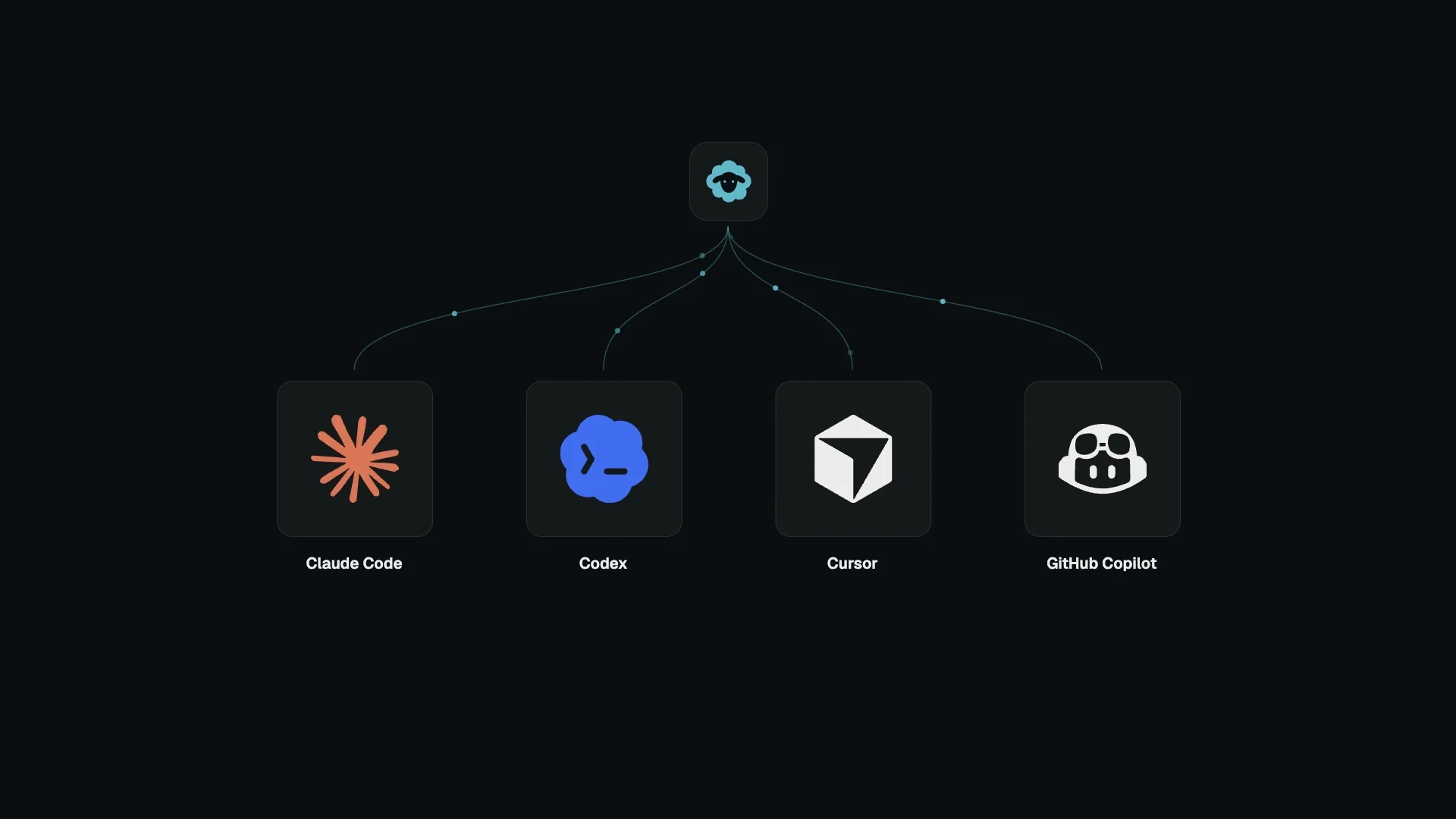
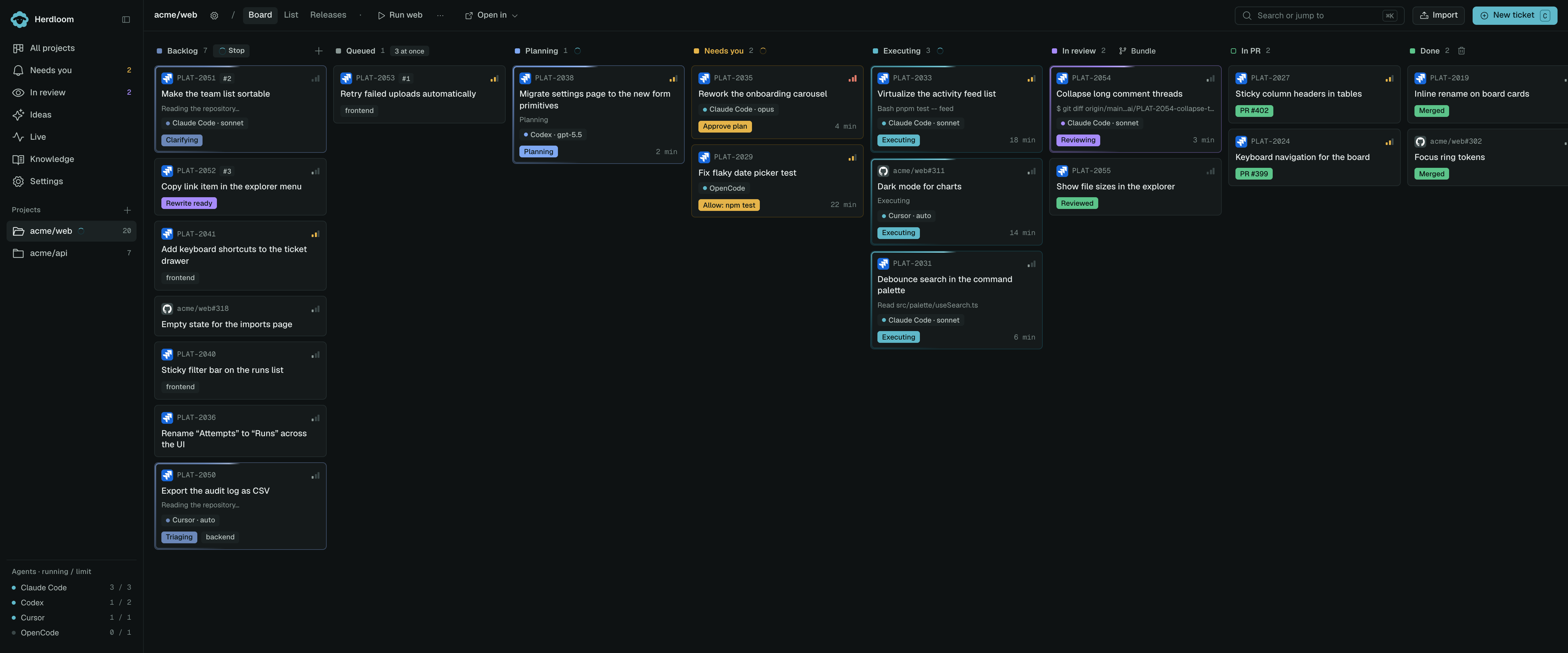
Start with a conversation in Ideas, write a ticket, or import one from Jira or GitHub. Bundle related tickets into a work item: one shared checkout, branch, and PR. Herdloom hands the tickets to your agents one at a time and moves their cards across the board as they plan, build, and review. An optional combined check covers the whole item; you can also approve a version you have checked yourself.
The agents are the ones you already have. Claude Code, Codex, Cursor, OpenCode, Antigravity and GitHub Copilot all run on your own logins and your own subscriptions. Herdloom starts them, feeds them the ticket and the context they need, reads what they send back, and decides what happens next.
Start with an idea
Section titled “Start with an idea”You do not need a finished backlog to get started. Open Ideas, choose a project and a coding agent, and describe what you want to build or improve. Attach a brief, spec, or screenshot to give the conversation context.
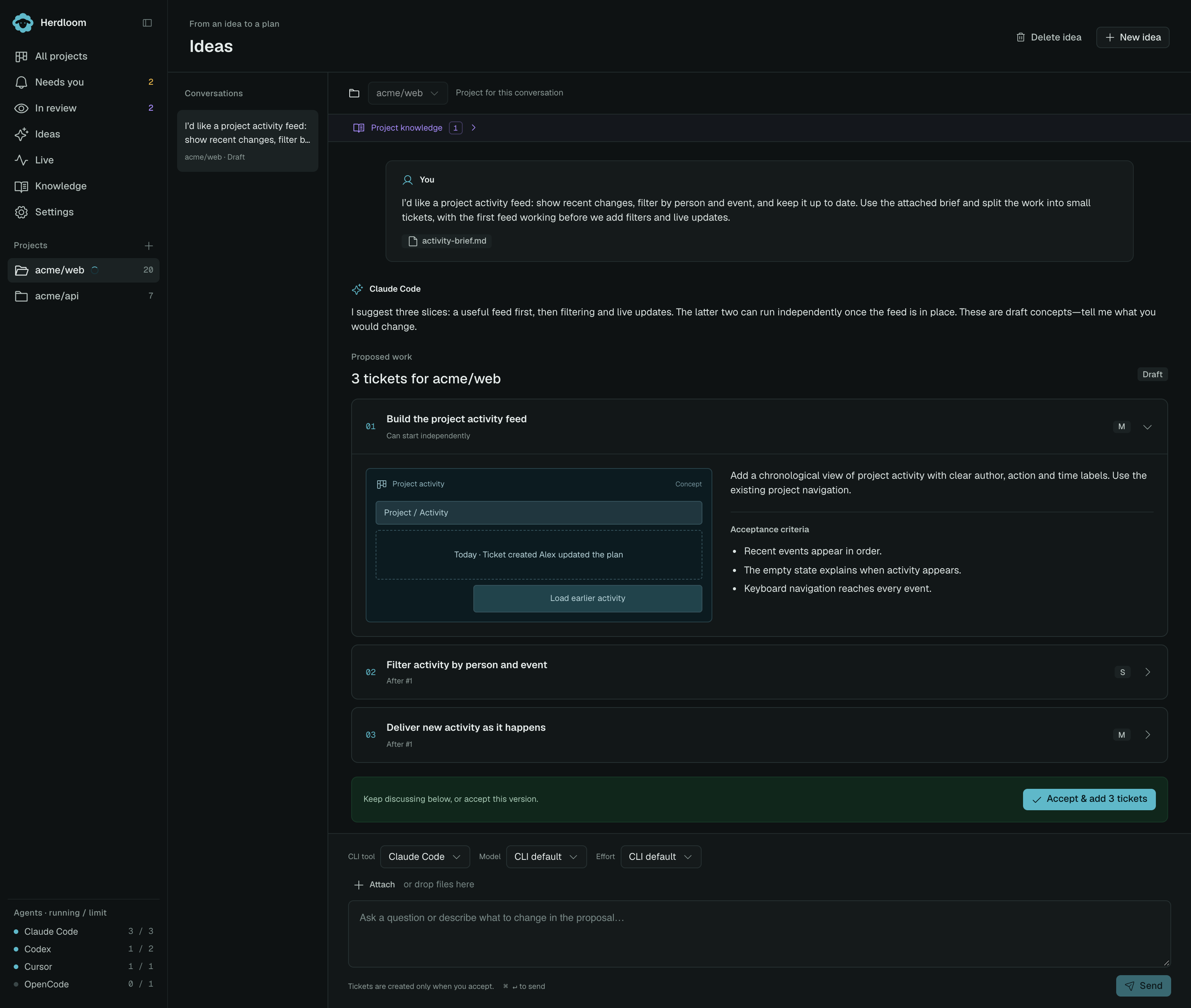
Example conversation in Herdloom’s demo UI. Expand a ticket to explore the proposal before accepting it.
The agent helps break the idea into proposed tickets with descriptions, acceptance criteria, dependencies, and concept sketches. Keep talking until the scope feels right: combine tickets, ask questions, or make the first version smaller. Nothing becomes a ticket until you accept.
Accepting adds the agreed work to the project’s backlog, with the attached context. You can keep prompting in the same conversation to add more tickets later.
Start your first Ideas conversation, or read how Ideas fits into the workflow.
From idea to reviewed work
Section titled “From idea to reviewed work”Discuss the idea, accept the tickets, then choose which should ship together. Agents plan, build, and review each ticket in the shared checkout, with you involved where needed.
What that buys you
Section titled “What that buys you”Work takes shape before it starts. Discuss an idea with your coding agent, bring specs or screenshots, and refine proposed tickets with acceptance criteria and dependencies. You decide when to add them to the backlog, and the attached context goes with them.
Independent work runs in parallel. Each work item has its own checkout. Its tickets run sequentially so they can build on each other; other items can progress at the same time.
You stay in the loop by choice, not by accident. Plans arrive for approval. Questions come back as questions instead of guesses. Anything the agent could not decide lands in one column and waits.
The work is checked before it reaches you. A second agent, from a different vendor or a different model family, reads the branch against the acceptance criteria and sends findings back for a fix round. What reaches your review has already survived one.
Nothing leaves your machine. The board, the tickets, the logs and the repositories all live on your Mac. There is no Herdloom account, no server and no telemetry. The only things that go out are the calls your agent CLIs already make on your behalf, and the tracker or GitHub calls you ask for.
What it is not
Section titled “What it is not”It is not a hosted service, and there is nothing to sign up for.
It is not an agent of its own. Herdloom does not have a model. It drives the ones you installed, and everything it knows about your code comes from those sessions.
It is not a code review tool. It arranges the work, runs the checks and opens the pull request; your usual review still happens where it always did.
What you need
Section titled “What you need”- A Mac with Apple silicon, running macOS 13 Ventura or newer. An Intel build is not published yet.
- Git, and a repository you can push to.
- At least one coding agent installed and signed in. The setup check finds them and offers to install what is missing.
- The GitHub command line tool, if you want pull requests opened for you.
Where to next
Section titled “Where to next”Install Herdloom, let the setup check confirm the machine is ready, then take the tour on a sample project. For your own project, start with an idea, write your first ticket, or import your existing tickets.