
Review and fix rounds
With review switched on for a project, a finished run does not reach you straight away. A second agent reads the branch first.
How the reviewer is chosen
Section titled “How the reviewer is chosen”The reviewer is picked for independence, in this order: the reviewer the project names, if you set one; otherwise a different agent from the one that wrote the code; otherwise the same tool on a different model family; and only when there is nothing else, the same model in a fresh session. The ticket’s timeline records which kind of independence the review got.
A different model closes the worker’s blind spots. The last case catches less, and says so rather than pretending otherwise.
What the reviewer is given
Section titled “What the reviewer is given”The reviewer gets the ticket, the branch and the change. It turns the ticket into a checklist of requirements and judges each one from the code, not from the worker’s summary of what it did. It is read-only, and it may run the project’s test command.
The acceptance criteria define done. Extra instructions the worker was given are context for the reviewer, not scope.
The verdict
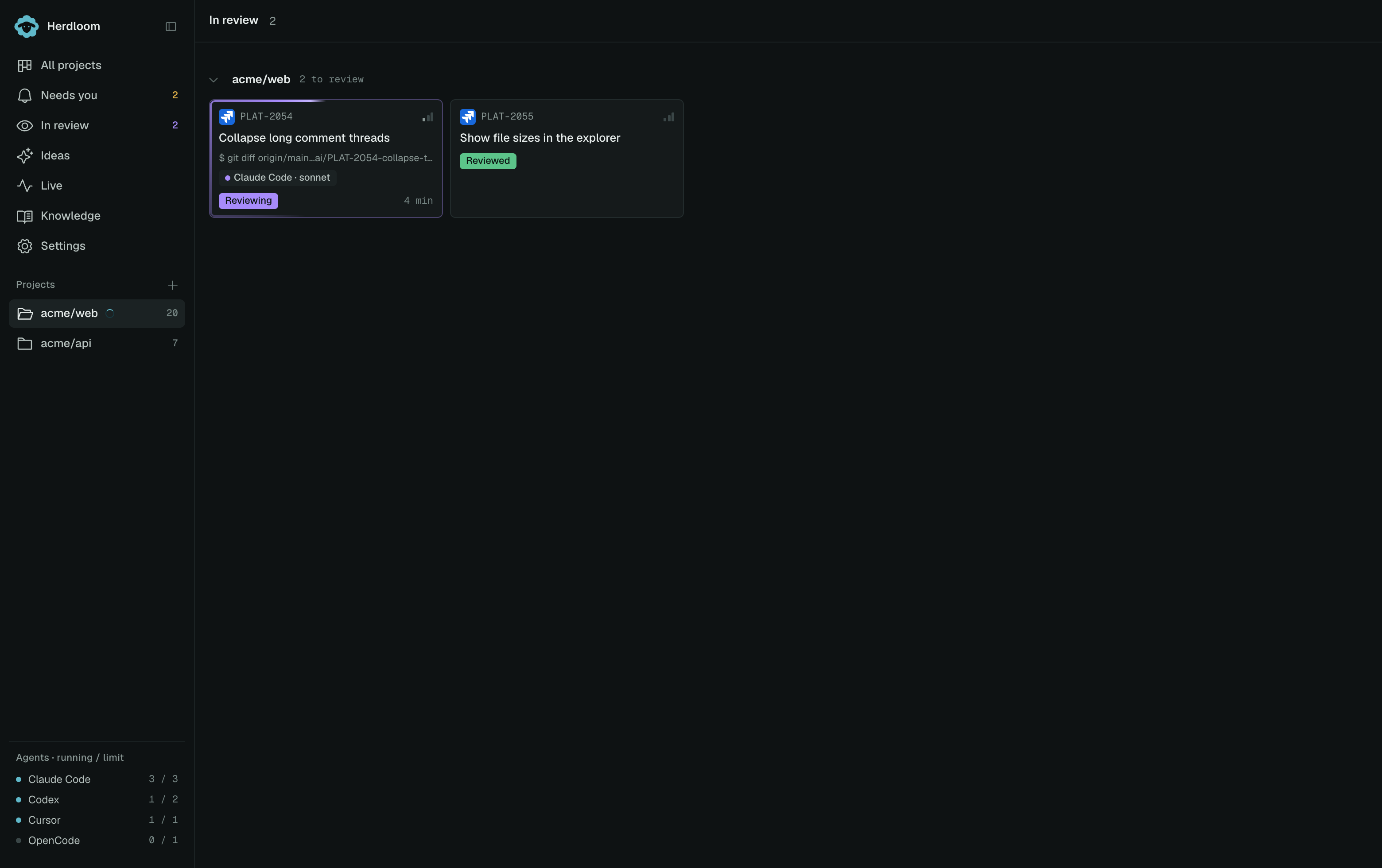
Section titled “The verdict”The verdict sits on the card as a chip, Reviewed or Review · 2 findings, and in the ticket drawer as a panel on the Review tab.
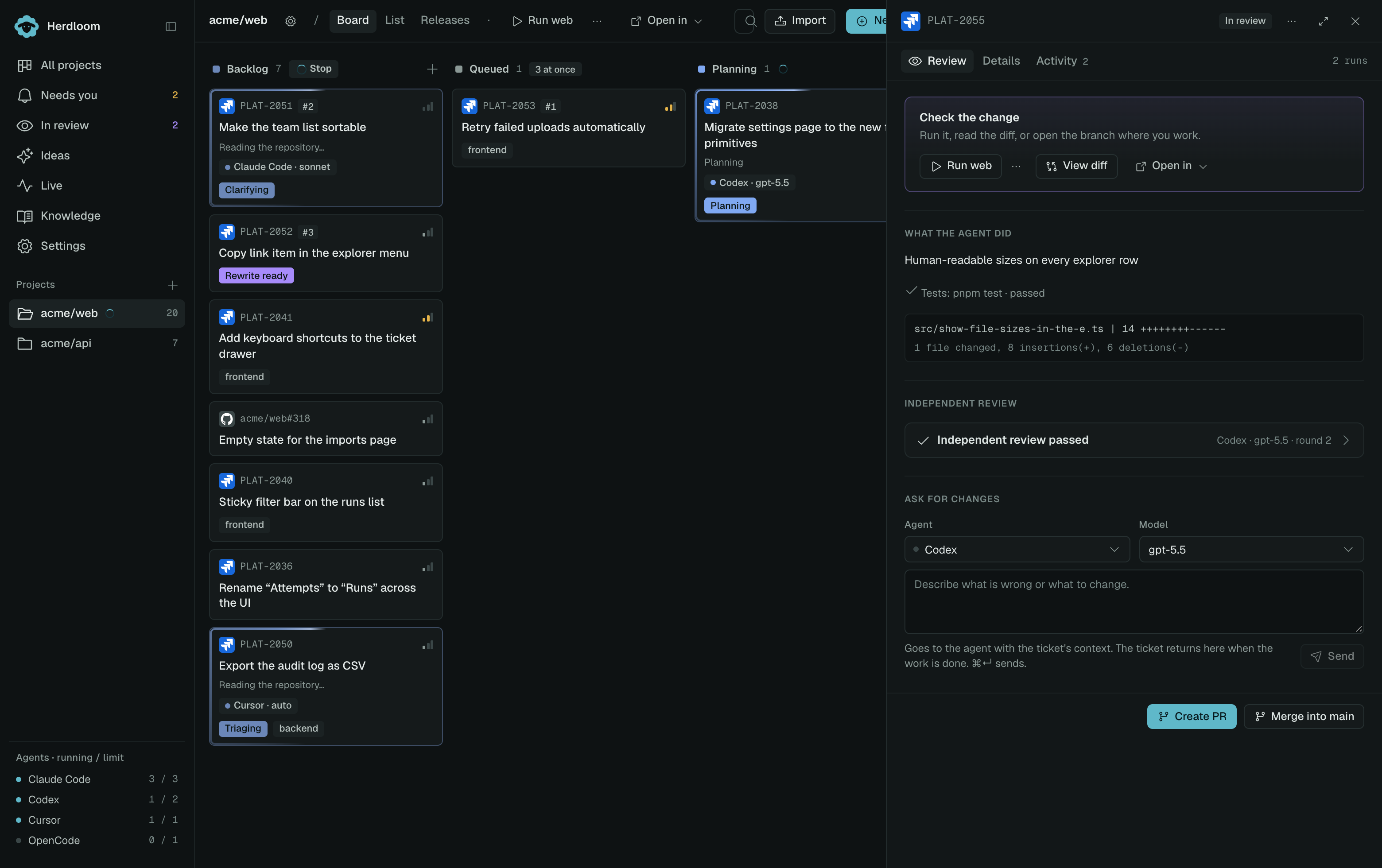
Open the panel and it expands into the checks and the findings.
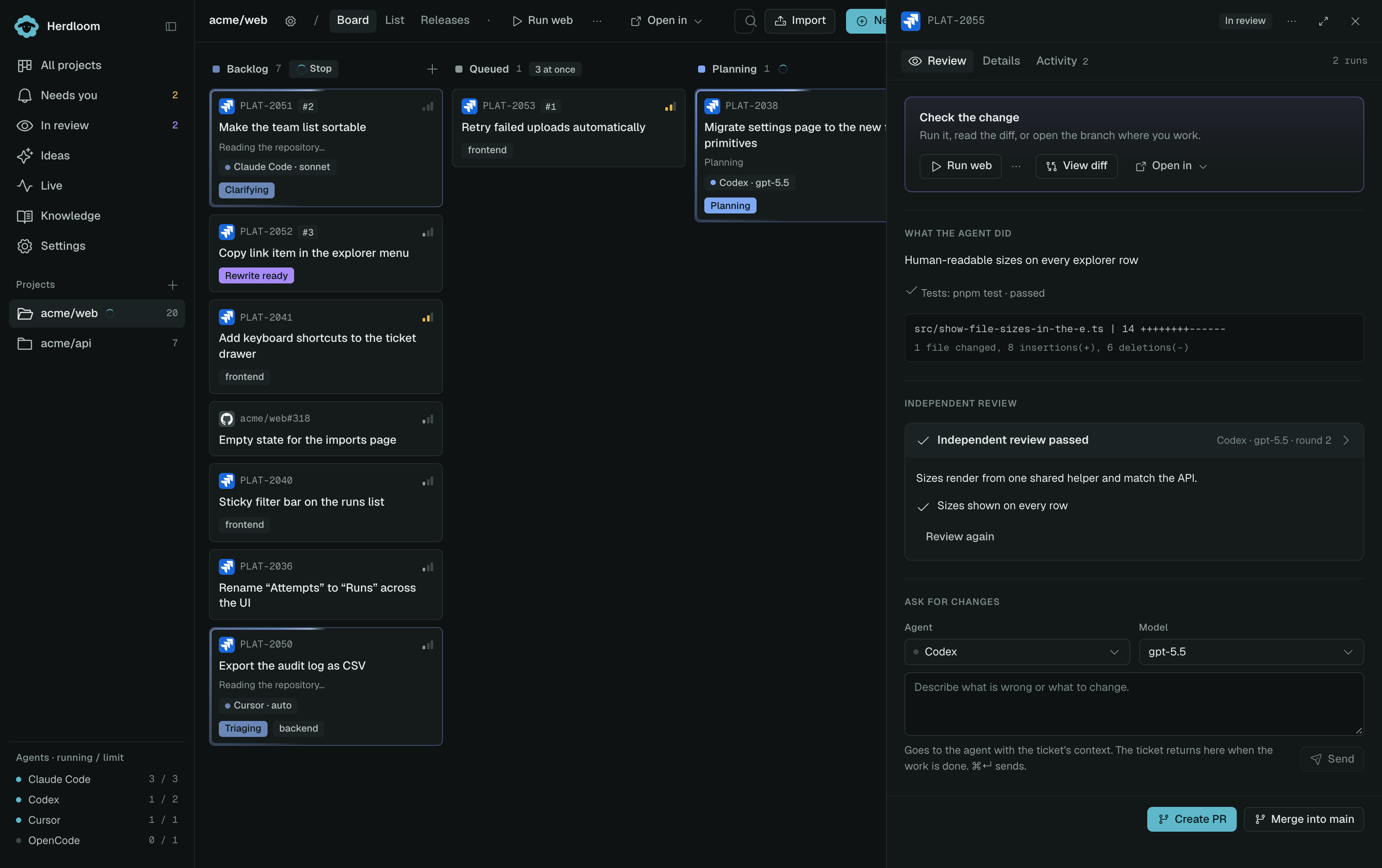
Each requirement is listed with a tick and, where the reviewer wanted to say more, a line of evidence under it. Findings come after, each with a severity, a file, and a sentence on what is wrong. A low finding is worth reading and usually not worth blocking on. Review again is one click from the same panel.
A review that fails to produce a verdict is marked inconclusive, and the ticket still reaches you.
Reviewed tickets gather in In review, across every project at once, so a morning’s landing can be read in one pass.
Fix rounds
Section titled “Fix rounds”If the reviewer asks for changes, the findings go back to the worker’s own session, which still has the context the code was written in. The worker fixes them, and the reviewer looks again.
How many rounds are allowed is a project setting on the In review row of Automation, one by default. After that the ticket comes to you with everything the reviewer said, including the findings from the round that failed. The verdict is stored before a fix round starts, so nothing is lost.
Asking for changes yourself
Section titled “Asking for changes yourself”The Review tab has a box of its own. Pick the agent and model, describe what is wrong in your own words, and send. It goes to the agent with the ticket’s context, the agent makes the change, and the ticket comes back through review when the work is done.
This is the fastest correction in the app. It is a sentence, not a new ticket, and the branch it lands on is the one already in front of you.
Checking the whole work item
Section titled “Checking the whole work item”Ticket reviews check individual requirements as the work progresses. Once every member is ready, Check all tickets runs the configured tests/build and a fresh read-only review of the combined app. This catches cases where a later ticket breaks an earlier requirement.
Expand the work-item panel to read each finding, stop a check, or check again after corrections. If you choose Run the combined check first, a stopped, failed, or incomplete check blocks that attempt. Code or requirement changes invalidate an earlier pass. You can instead choose I’ve checked this myself in the shipping dialog to approve the displayed version manually; the failed automated findings remain visible. Git conflicts and unfinished tickets still block shipping.
The work-item guide shows the controls and results.
Read the diff when the verdict is not enough. Automation is where review, the reviewer and its fix rounds are set.