
How much you approve
Every project decides, column by column, where a ticket waits for a person and where it carries on by itself. Automation, on the project’s settings page, is that decision, as a ladder you read top to bottom.
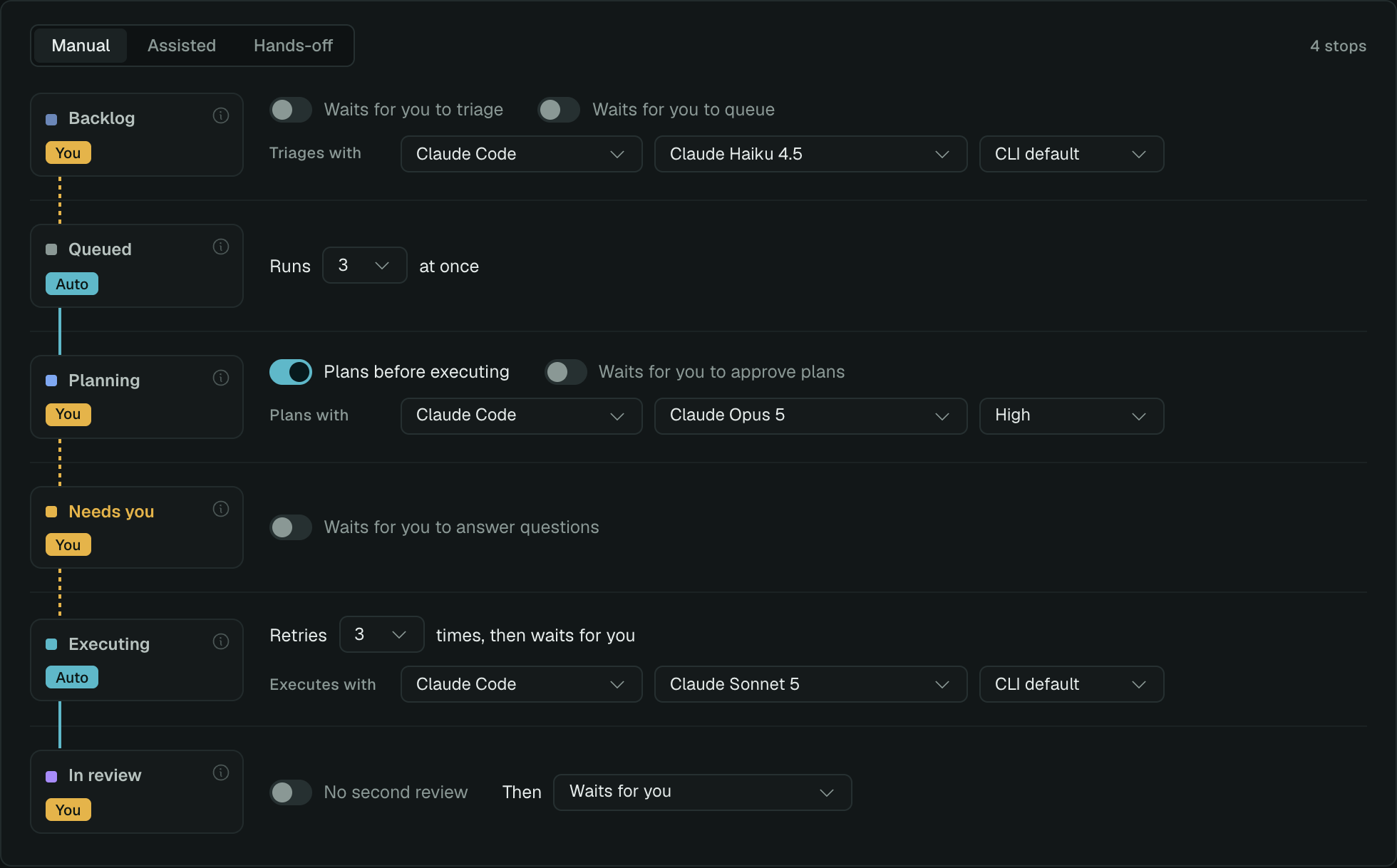
Each card carries a chip: Auto when tickets pass that column on their own, You when they wait for you, Skipped when the column is not used. The line between two cards turns dashed where a ticket stops, and the count on the right says how many stops there are in total.
The three presets
Section titled “The three presets”
A preset sets every gate at once. Touch any switch afterwards and the label becomes Custom.
Manual. Agents work only when you ask. Nothing is triaged until you press Triage, nothing is queued until you choose a work item, every plan waits for your approval, every question waits for your answer, and a finished branch waits in In review.
Assisted. Agents triage, queue, plan and run; you approve plans and merges. Flagged tickets are clarified or split on their own. Plans still wait for you. Questions still wait for you. A finished branch opens a pull request, and the pull request waits for you to merge it.
Hands-off. Tickets travel from Backlog to Done on their own. On top of Assisted, a plan that asks nothing is approved on the spot, a question is answered by Herdloom with a note saying what it decided, and a reviewed branch opens a pull request that merges itself once the checks are green. On a repository with no remote it merges into the base branch instead.
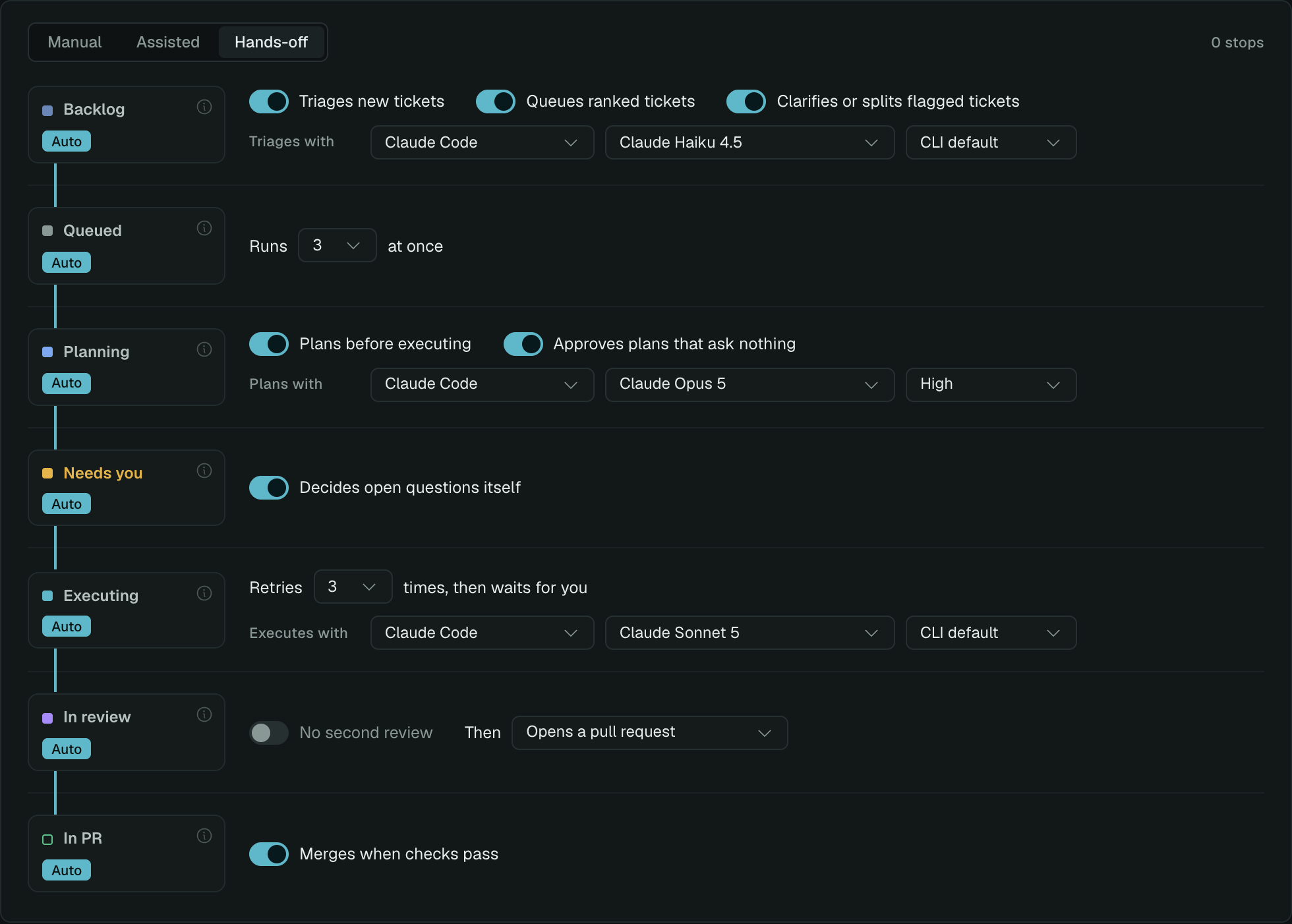
Hands-off is the same ladder with every gate opened. The switch labels change with it: Waits for you to triage becomes Triages new tickets, Waits for you to approve plans becomes Approves plans that ask nothing. The label always describes what will actually happen.
Column by column
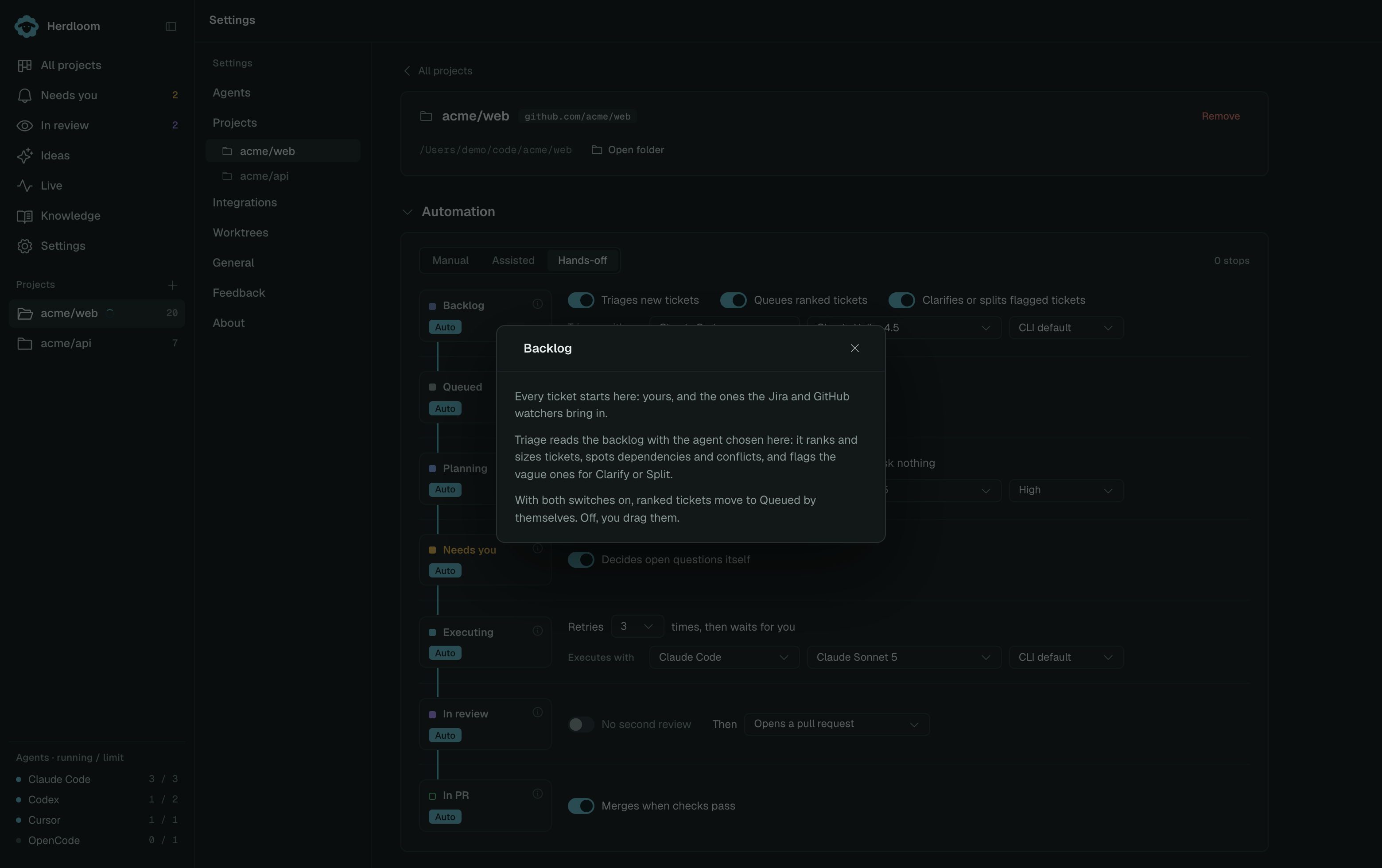
Section titled “Column by column”Each card has an information button that says what the column does, in the app, at the moment you are changing it.
Backlog
Section titled “Backlog”
Every ticket starts here: the ones you write, and the ones a watch brings in from Jira or GitHub.
- Waits for you to triage / Triages new tickets. A triage pass reads the backlog and records a rank, a size, dependencies, conflicts and the areas each ticket touches, and flags the ones that are too vague or too big. On Auto, new arrivals are triaged as they land. Off, you press Triage.
- Waits for you to queue / Queues ranked tickets. On Auto, eligible fresh ranked tickets in that queueing pass are grouped into a shared work item. Flagged tickets stay behind. Leave this off if you want to choose which tickets ship together using Bundle.
- Clarifies or splits flagged tickets, which appears once triage is on: a vague ticket is rewritten with real paths and acceptance criteria, and an oversized one is split into ordered pieces. Once each, so nothing loops.
- Triages with. The agent, model and effort for these read-only passes. A cheaper model is fine here; it is reading, not writing.
Queued
Section titled “Queued”
Tickets waiting for a free slot, in triage rank order, or in the order you dragged them.
- Runs n at once. How many tickets this project plans or executes at the same time, one to eight. There is no gate on this column: the manual gate is one column earlier.
- Only one ticket in each shared work item runs at a time, regardless of the concurrency setting.
- A dependency in the same item must finish with its code present in the shared checkout. External dependencies and conflicting branches must land first.
Planning
Section titled “Planning”
Before any code is written, the planning agent reads the repository and writes a plan: the files it will touch, the steps, the risks, and any question only you can answer.
- Plans before executing. On, every new ticket plans first. Off, the column is skipped and tickets go straight to Executing. Individual tickets can override this.
- Waits for you to approve plans / Approves plans that ask nothing. The gate. On Auto, a plan with no questions goes straight to Executing; a plan with a question still waits for you.
- Plans with. The agent, model and effort for planning. A stronger model earns its keep here: the plan is handed to whichever agent executes, whether or not it is the same tool.
Needs you
Section titled “Needs you”
Where a ticket waits for a person: a plan to approve, a question from the agent, a permission to grant, or a failure to look at.
- Waits for you to answer questions / Decides open questions itself. On Auto, Herdloom tells the agent to use its own judgement, take the conservative option, and note what it decided.
- Permission requests are never answered automatically. A tool the agent was denied always waits for you, whatever this switch says.
Executing
Section titled “Executing”
The agent works in its work item’s shared checkout and branch, following the ticket’s plan.
- Retries n times, then waits for you. A failed attempt starts again with fresh context and the failure. After this many, or when the same failure repeats with no change, the ticket stops and waits.
- Executes with. The agent, model and effort every new ticket in this project starts from. A ticket can override it, and the reviewer will be chosen to be someone else.
In review
Section titled “In review”
The finished branch, verified: commits exist and the project’s test command passed.
- Reviewed by a second agent. On, a different agent checks the branch against the ticket’s acceptance criteria before you see it, and asks the worker for fixes if it finds problems.
- Then. What happens to a branch that passed: Waits for you, Opens a pull request, or Merges into main. A review that asks for changes always waits, whatever this says.
- Reviews with, and how many fix rounds the reviewer gets before the ticket comes to you anyway.
For shared work items, automatic shipping waits for every member to finish. The configured test/build commands and fresh combined acceptance review must pass before the whole branch ships. Turning per-ticket review off does not disable that final work-item check for automatic shipping. When shipping by hand, you can choose I’ve checked this myself instead.
The last row appears only when the project has a remote and Then is set to open a pull request. Its one switch, Merges when checks pass, merges the pull request as soon as GitHub reports it mergeable, and moves the ticket to Done.
What to use
Section titled “What to use”Start on Manual. Read a few plans and a few diffs, and find out what your agents do with your repository before you let them do it unwatched.
Move to Assisted once the plans read well. That is the point where triage and queueing are saving you clicks and the plan is still yours to approve.
Keep Hands-off for the work you would have accepted anyway: small, well-specified tickets in a repository with tests you trust. It is a per-project setting, so one project can run itself while another still asks.
Triage the backlog and review and fix rounds cover the two phases these switches change most.