
Add a project
A project is one git repository. Adding it takes a folder and a base branch; everything else has a working default you can change later.
Add the repository
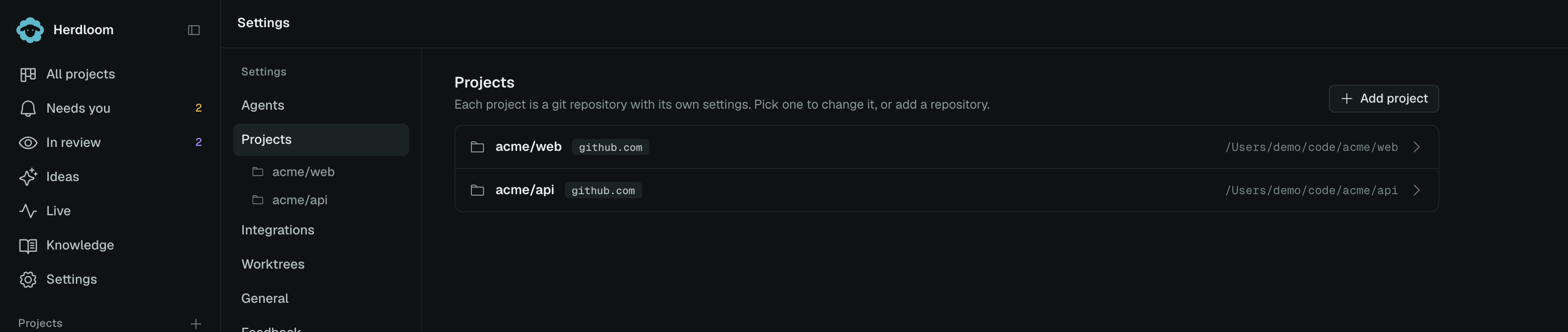
Section titled “Add the repository”Open Settings, then Projects, then Add project. Choose the folder, or type the path. Once the path is
there, the base branch picker lists the repository’s real branches, so pick the branch tickets should
be cut from and merged back into. It does not have to be main.
A folder that is not a repository yet is not a dead end. Herdloom offers to initialize one: it adds a
.gitignore and commits the current files as “Initial commit”. A folder inside a repository resolves
to the repository root, and a repository that is already a project is refused rather than added twice.
What Herdloom reads from the folder
Section titled “What Herdloom reads from the folder”- The base branch. Detected from the repository, or the one you picked in the dialog.
- The remote. Used to decide whether pull requests are possible and which GitHub repository the project’s issues belong to.
- A setup script. Inferred from the lockfile at the root, or in a nested workspace root, and run in every new worktree.
- Ignored secret files. The files git ignores that an app needs to run, such as
.env,.npmrc,.yarnrc,.envrcandsecrets.json. The Worktrees and dependencies section names the ones it found, and copies them into the work item’s checkout while the switch is on.
The test command is the one thing Herdloom does not guess. Until you give it one, verification only checks that a run left commits on the branch.
The project’s settings page
Section titled “The project’s settings page”Adding a project lands you on its own page, a stack of sections you can open one at a time.
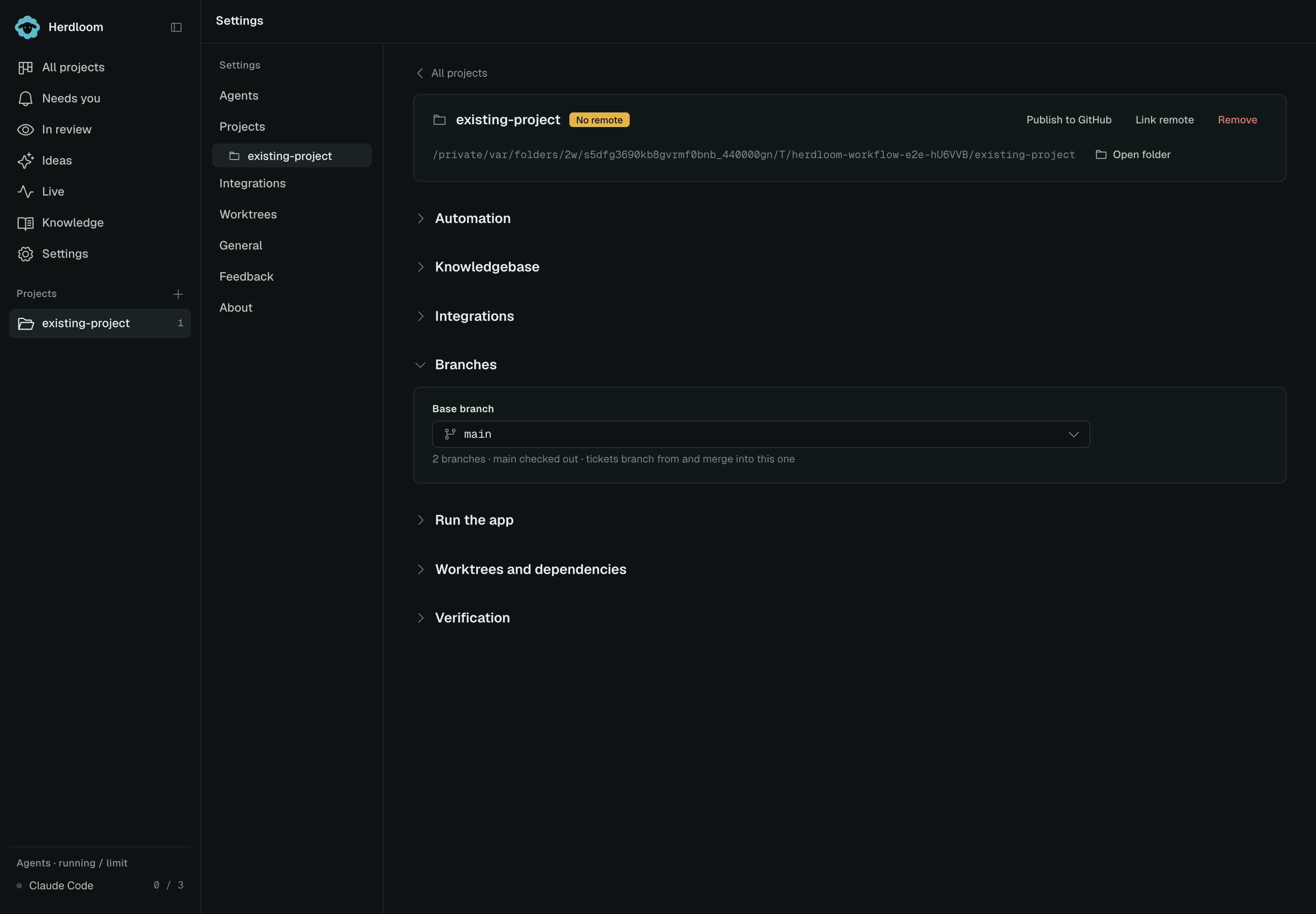
Branches holds the base branch and
whether the base branch is pushed after a merge. Shared work items use work/<id>-<name> branches. Run the app holds the
commands the Play button starts. Worktrees and dependencies holds the setup script, the secret
files, anything else to copy, and how many checkouts to keep on disk. Verification holds the test
command, run after every execute attempt, and an optional build command. Both run when you choose the combined work-item check.
A repository with no remote
Section titled “A repository with no remote”A repository that has never been pushed still works. Tickets get branches, runs happen, and finished work merges into the base branch in the main checkout. There are simply no pull requests.
When you want one, the project card offers two ways out. Publish to GitHub creates a repository through your GitHub sign-in, with a name and a visibility you choose, and pushes to it. Link remote points the project at a repository that already exists. Either way, pull requests, issue import and watches become available from that point on.
Changes explains publishing a private repository, pushing locally merged commits, and optionally committing additional source changes.
Write your first ticket, or decide how much of the loop runs on its own in Automation.