
About and updates
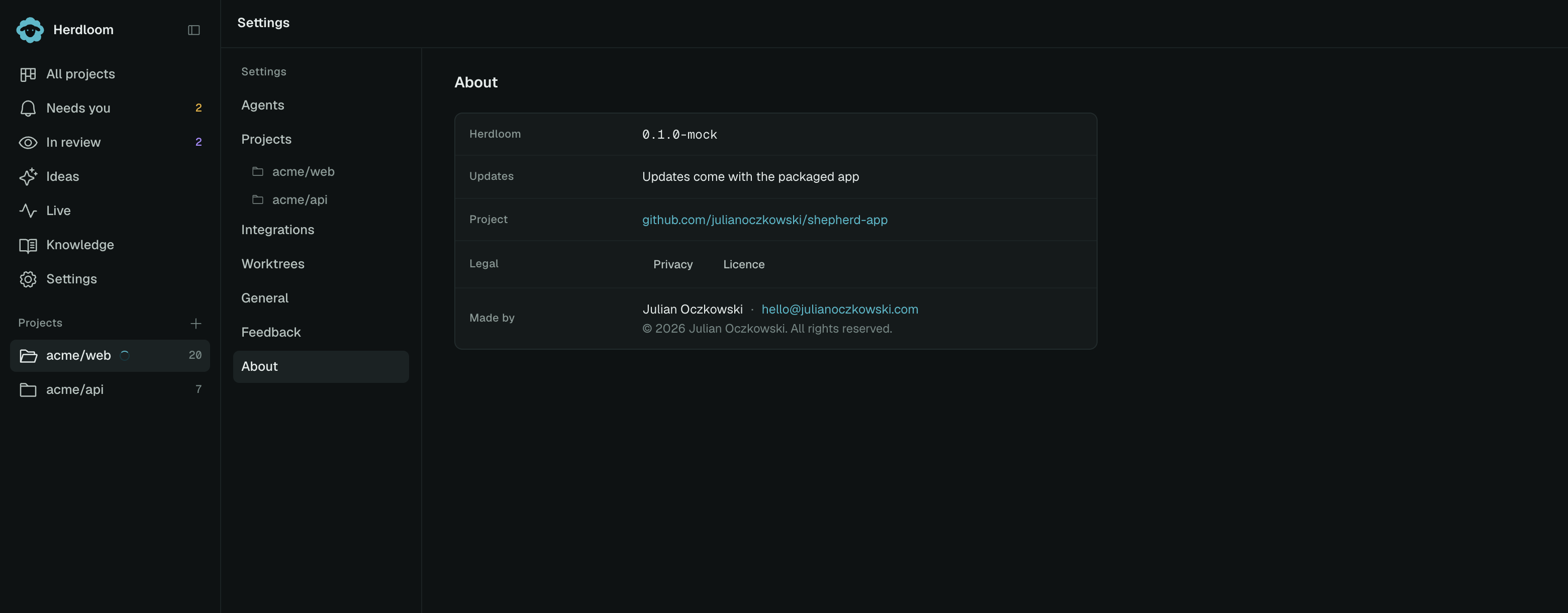
Settings → About is one short list: what you are running, how it updates, and the terms you run it under.
Version
Section titled “Version”The first row is the version of Herdloom installed. Quote it in any bug report; the report file carries it too.
Updates
Section titled “Updates”Herdloom is signed and notarised by Apple, and updates itself from its own releases page. It checks on its own, and Check for updates asks straight away.
The row says where the check got to: up to date, checking, downloading, or a version ready. A new build downloads in the background while you keep working, and it is applied the next time you quit Herdloom. Restart and update does it now: the app closes, swaps itself and reopens.
Your data folder is untouched by an update. The board, the tickets, the run history and the settings are all there when the app comes back.
Project
Section titled “Project”The project link opens the public repository. It is also where issues and discussions go.
Privacy and Licence
Section titled “Privacy and Licence”Both open in the app rather than in a browser, so you can read them without leaving what you were doing.
Privacy is the short version of what the app touches: your repositories, tickets, plans, reviews, run history and knowledgebases stay in a folder on this Mac; there is no telemetry, no analytics and no account. What leaves the machine leaves because you asked for it, through your own agent logins, your own GitHub and git, a Jira connection you entered, and the update check.
Licence is the beta licence. Herdloom is proprietary software, licensed rather than sold, for use on machines you control. Your code stays yours: the licence claims no rights over repositories, tickets or notes, and what the coding agents produce is governed by your agreement with those providers. It is supplied as is, which for an app that runs agents against your repositories is worth reading once.
Made by
Section titled “Made by”The last row names the author and an email address. That address is also where a security issue goes, privately.
What runs where is the full picture of what stays on the Mac. Privacy and your data says what is written to disk and how to delete it.