
Clarify and split
Most tickets people write are a sentence. The two things that decide whether an agent run succeeds are precision and size, and those are exactly what Clarify and Split add, from the repository rather than from guesswork.
Both are read-only passes on a backlog ticket, and both end in a proposal you read before anything changes.
Where they are
Section titled “Where they are”Open a backlog ticket. The Triage section at the bottom of its Details tab carries the action that matches its flag: Clarify for a ticket flagged Needs detail, Split for one flagged Too big. A ticket that has never been triaged offers both.
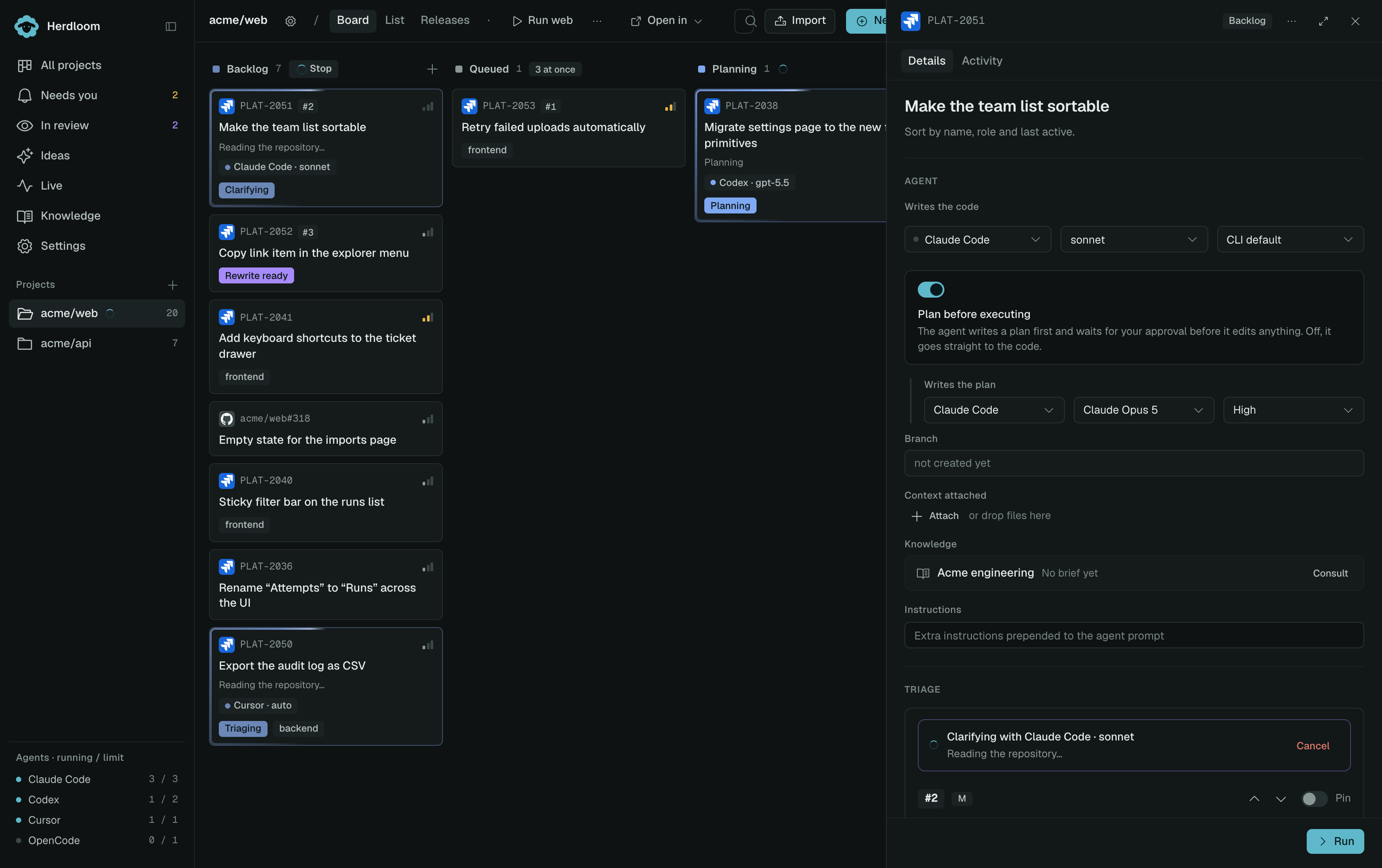
Clarify
Section titled “Clarify”Clarify opens as a page. It shows what triage found, a box for anything you know that the code does not, and the ticket exactly as written.
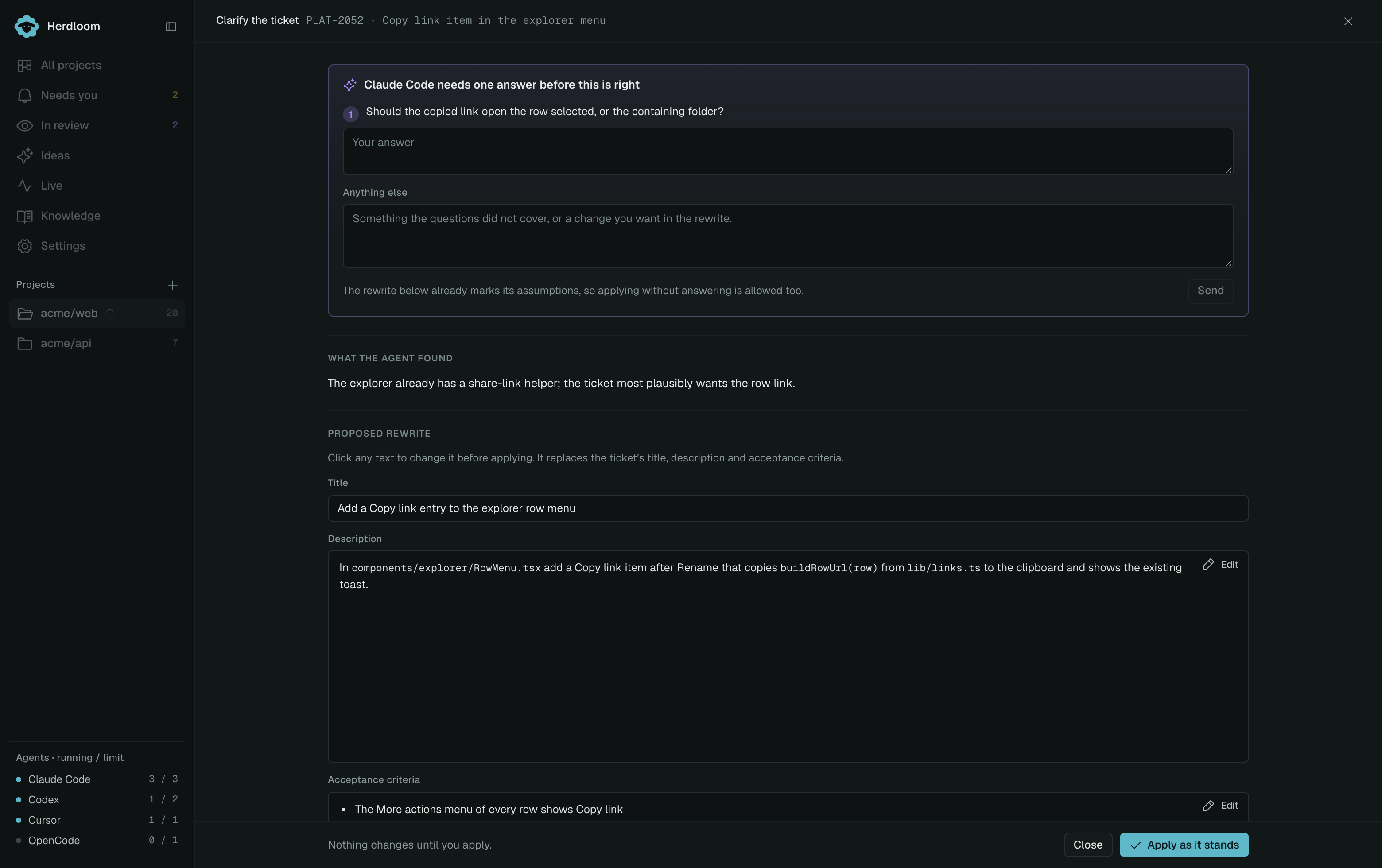
The pass then reads the repository for the things the ticket mentions, the pages, components, commands and data, and rewrites the ticket with real paths and names, and acceptance criteria a reviewer can check one by one.
It asks questions only about what the code cannot answer: a product decision, a value, a preference. Those questions come back first, each with its own answer box. Your answers go back into the same session, which still holds everything the agent learned about the repository, so the second pass is a rewrite rather than another survey. The proposal also marks its own assumptions, so applying it without answering is allowed.
Split cuts a ticket that is more than one run of work into two to six ordered pieces, each one an agent can finish, each with its own acceptance criteria. The dependencies between the pieces become triage edges, so the queue runs them in order.
The original ticket is replaced when you create the pieces, and they inherit its agent, priority and labels. A ticket that came from Jira or GitHub is the exception: it stays on the board, flagged and held back, as the link between the issue and its pieces.
Split can ask questions too, and answers work the same way.
Nothing changes until you apply
Section titled “Nothing changes until you apply”The proposal arrives in full, and it is editable. Tighten a criterion, fix a title, remove a piece from a split. The same box that answered the questions keeps the conversation going afterwards: say what it got wrong or what to add, and the proposal is updated in place, with what you said shown above it.
Only Apply writes anything to the ticket. Applying a clarify marks the ticket for re-triage, since its size and dependencies were judged against the old text.
Re-run triage to place the clarified or split tickets, or queue one and approve its plan.