
Branches and checkouts
A work item owns one git branch and one checkout beside your repository. Its tickets build on the same files, one at a time. Different work items have separate checkouts and can run in parallel.
Why share a checkout
Section titled “Why share a checkout”A feature often takes several tickets: scaffold the app, add a flow, then polish the interface. Sharing their checkout makes earlier changes available to the next ticket without an intermediate PR or merge. One PR delivers the combined app; you can run a final combined check or approve a version you have checked yourself.
Only one agent works in a work item’s checkout at a time. This keeps concurrent agents from rewriting the same files or Git index. Put independent changes in separate work items when they should progress or ship separately.
Your main working copy stays separate while agents build. A local merge later updates the base branch in that main checkout when you or a project rule asks Herdloom to land the work.
Branch names and existing work
Section titled “Branch names and existing work”Work-item branches use work/<id>-<name>, for example work/abc12345-account-onboarding.
The shared checkout is prepared when the first ticket runs, from the project’s base branch.
Existing branches keep their names when adopted into work items. Their commits and checkouts are preserved.
Dependencies and local files
Section titled “Dependencies and local files”The setup script prepares the checkout’s dependencies. Reusing the shared checkout avoids repeating that setup for every member when its dependency inputs have not changed.
If the app needs ignored files such as .env, enable Copy secret files into worktrees in
project settings. It is off by default for new projects.
node_modules and build output such as dist are local to each checkout; Git does not merge them.
After merging, Run app prepares dependencies in the main checkout as needed.
A development server does not normally need a production dist folder; use the build command when
you need a production output.
Keeping and reclaiming work
Section titled “Keeping and reclaiming work”An unfinished work item’s checkout is retained, including while paused or in PR. Herdloom does not reclaim it just because one member finished or returned to Backlog. Started contributions stay with their shared branch.
Once the whole item lands, a clean, idle checkout can be parked for reuse. Parking preserves useful setup files and installed dependencies; the next work can reuse that folder. The branch and commits remain available even when the checkout is later removed.
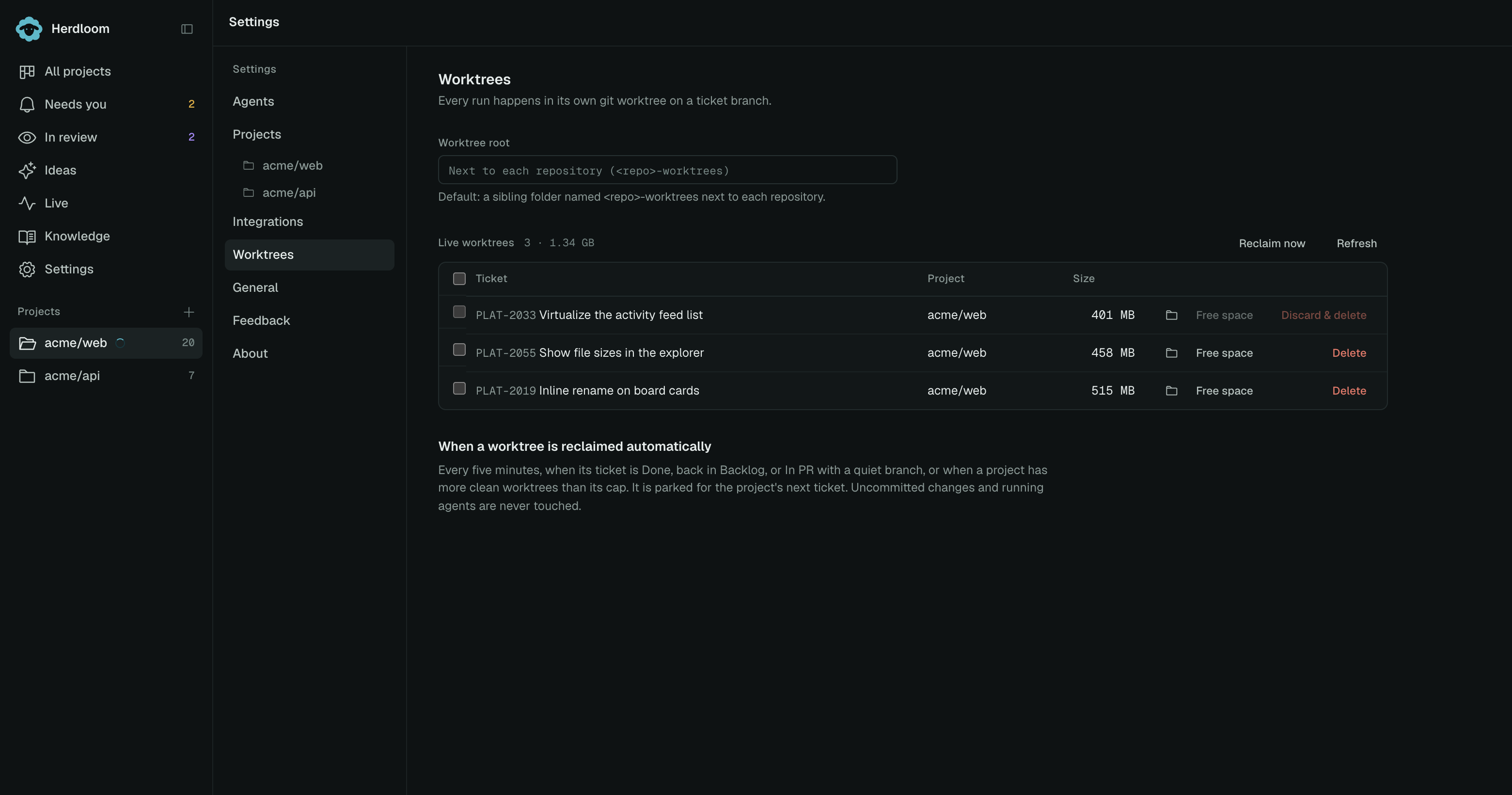
Settings → Worktrees shows live and parked checkouts. The default location is a sibling folder named
<repo>-worktrees; a custom root changes where new checkouts are created. The sweep leaves running
agents, preview servers, dirty work, and unfinished shared work items alone.
The push guard
Section titled “The push guard”Herdloom installs a guard against agent pushes to the base branch. Merging or pushing that branch is a Herdloom action after you or a project rule asks for it.
Bundle tickets into a work item covers the full workflow. Worktrees settings covers storage and cleanup.