
Removing Herdloom
Herdloom keeps everything in one folder, apart from two things it put elsewhere. The cleanup takes those two back and then shows you the folder, so nothing is left in a place you would not think to look.
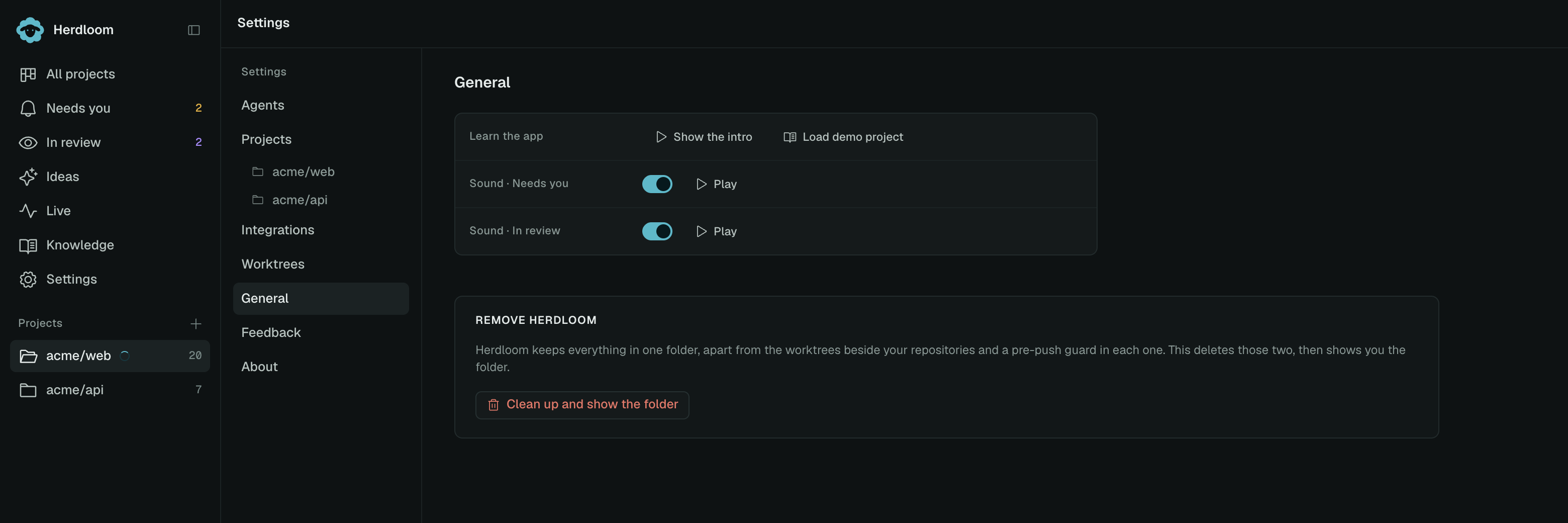
What the cleanup does
Section titled “What the cleanup does”Settings → General → Clean up and show the folder asks for confirmation, then does three things.
It deletes every worktree Herdloom made. Those are the per-ticket checkouts beside each repository, or under the worktree root you chose. Any process an agent left running inside one is stopped first. The branches are kept, so everything that was committed is still there.
It takes the push guard out of each repository. Herdloom puts a pre-push guard inside every repository you add, which is what stops an agent pushing your base branch. The cleanup removes it, and restores whatever hook was there before if Herdloom chained one.
It opens the folder that is left in Finder and names the two steps you have to do yourself:
- Quit Herdloom and drag it from Applications to the Bin.
- Delete the folder now open in Finder.
That folder is the board, the tickets, the run history, the logs, your settings and any attachments. It cannot delete itself while the app is running out of it, which is why it is left to you.
What it refuses to do
Section titled “What it refuses to do”The cleanup will not run while an agent is running. It says so and stops. Let the runs finish, or stop them from the board, then try again.
What is never touched
Section titled “What is never touched”Your repositories, your branches and your commits. The cleanup removes checkouts and a hook; it does not delete a repository, a branch, a commit or a pull request. Work an agent committed is on its branch when the app is gone, and branches that were merged are in your base branch as usual.
Tokens you entered for Jira or GitHub are in the macOS Keychain rather than in Herdloom’s folder. Remove them in Keychain Access if you want them gone. Your agent CLIs keep their own logins and their own history, untouched.
Knowledgebases stay where they are, because they are folders you chose and, often, repositories other people share.
A project at a time
Section titled “A project at a time”To stop using Herdloom on one repository rather than all of them, open that project’s settings and choose Remove. It comes off the board and its tickets go with it. The repository is untouched, though its push guard stays, since the app no longer knows the repository exists. The guard only ever blocks pushes from agent runs, so it makes no difference to your own work.
General is the page the cleanup lives on. Privacy and your data says what was in that folder in the first place.