
Read the diff
Tickets in a work item share one branch. The diff compares that branch with the project’s base branch, so it includes the combined changes from all its members. Opening a member’s diff does not isolate only that ticket’s contribution. Existing independent branches still show their own changes.
Opening it
Section titled “Opening it”View diff sits at the top of the Review tab, in the Check the change card, and again beside the run timeline on the Activity tab. It opens over the board.
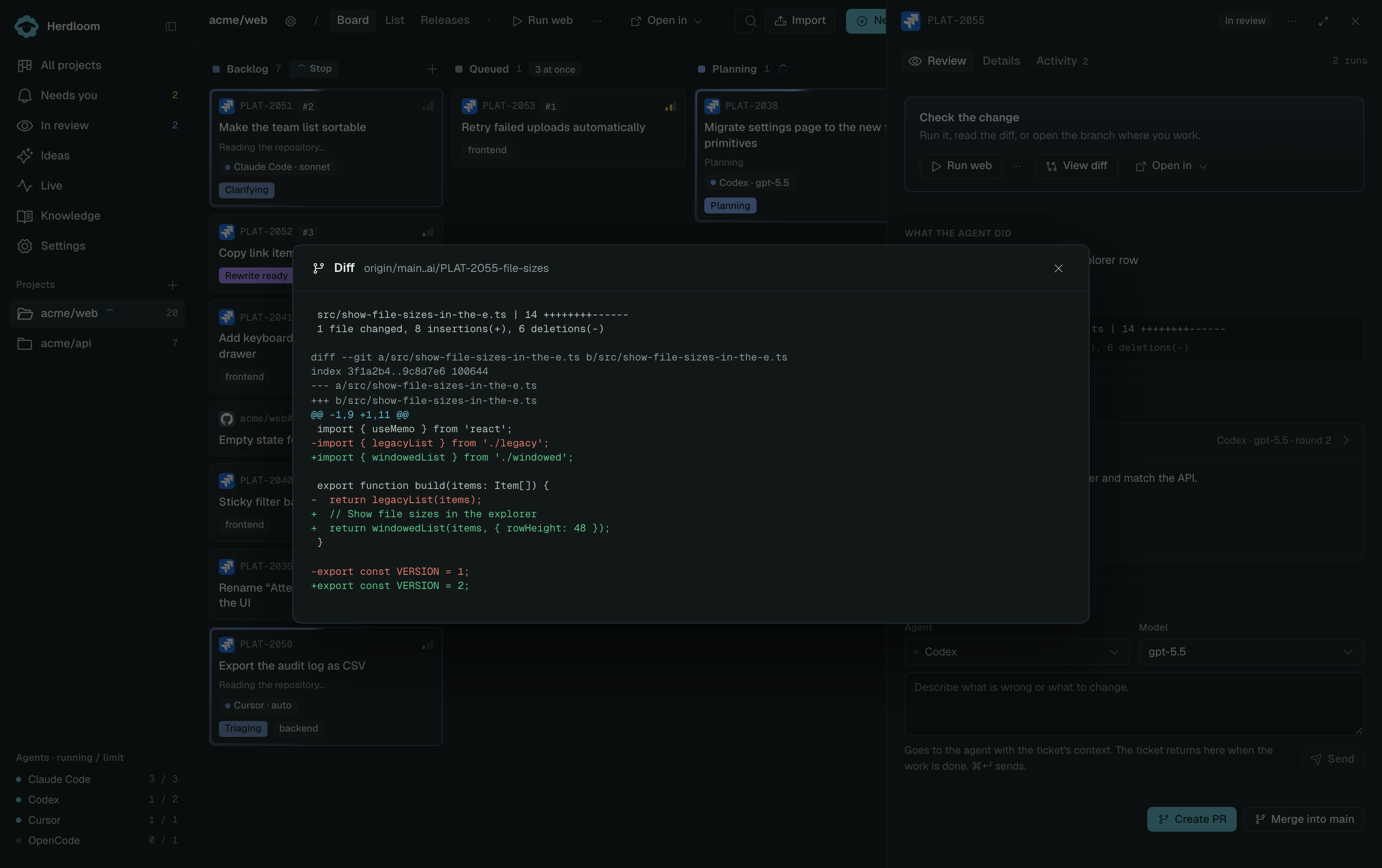
The header names the comparison, base branch first, then the ticket branch. Under it comes the
summary line: one row per changed file with its count of changed lines, then the total, in the form
1 file changed, 9 insertions(+), 3 deletions(-). Read that line first. It tells you whether the
change is the size the ticket implied before you read a word of code.
The body is the change itself, additions and removals marked as git writes them. Long lines scroll sideways rather than wrap, so code stays aligned.
The diff is built from the repository, not from the agent’s checkout. A ticket whose checkout has been swept still has its branch, so its diff still opens.
When the diff is not enough
Section titled “When the diff is not enough”Two other buttons sit in the same card, for the times reading the change is not the same as understanding it.
Restore worktree to run it brings back the checkout the agent worked in, on the ticket’s branch, with its dependencies and its local config files. From there the Play button starts the branch on a port of its own, beside the main checkout, so the version before and the version after are one click each. This button only appears when the checkout was parked after the run; when it is still live, the Play button is already there.
Open in your editor hands the same folder to the editor, terminal or git client you normally use. That is the route for a change large enough to want real navigation, or for making a correction by hand.
Review and fix rounds covers the verdict above the diff. Run the app and Open in your editor cover the other two buttons.
Changes in the main checkout
Section titled “Changes in the main checkout”For manual edits outside a work item, open Changes in the project header and select a filename. This compares that file with the last commit in the main checkout. Staged and unstaged edits are shown together; committing selects whole files. See Changes and GitHub sync.