
Write a ticket worth running
An agent run is only as good as the ticket behind it. A ticket that says what to change, where it lives, and how anyone will know it worked tends to come back as a branch you can merge. A ticket that says “search is slow” comes back as a guess.
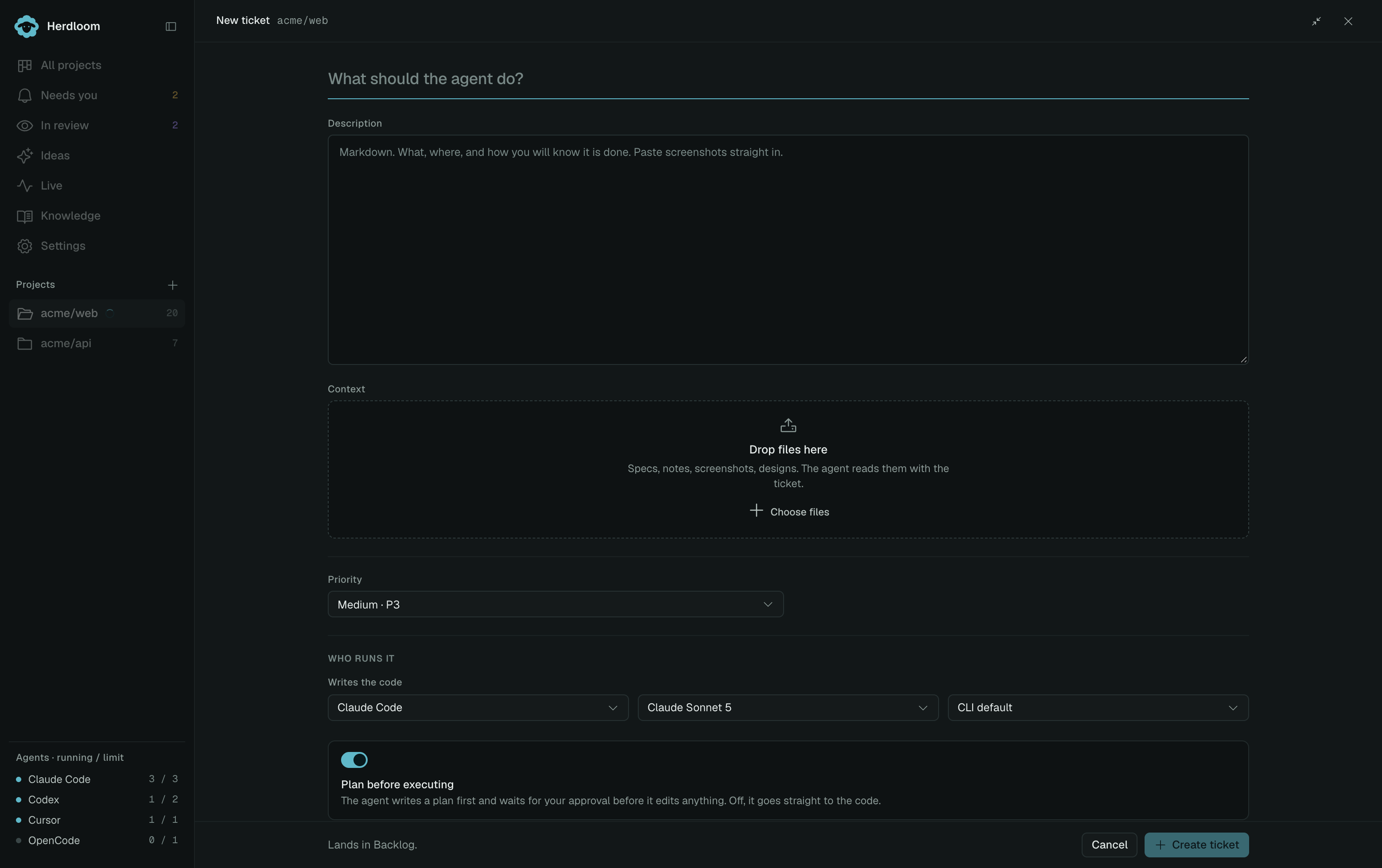
Press C anywhere on the board, or use New ticket. It opens as a page, or as a dialog if you collapse
it, and the choice is remembered.
The three things a ticket needs
Section titled “The three things a ticket needs”The change. One sentence saying what should be different afterwards. If it takes two sentences with an “and” in the middle, it is probably two tickets.
Where it lives. A path, a route, a component name, a command. Anything that stops the agent spending its first turns looking for the right file, and stops it picking the wrong one.
Acceptance criteria. A list a reviewer can walk down and tick. These are not decoration: the independent reviewer turns them into a checklist and judges each one from the code. Whatever is not in the list is not what the branch is measured against.
Write all of it in the description, in Markdown. It renders tables, block quotes and bare links, and you can paste a screenshot straight into it.
A ticket an agent can finish
Section titled “A ticket an agent can finish”Show remaining spend to free delivery in the cart
The cart summary in
src/cart/CartSummary.tsxshows the total but nothing about the free delivery threshold, which comes from store settings, not from the code.Acceptance criteria
- The cart shows how much more is needed for free delivery.
- The line disappears once the threshold is met.
- The threshold is read from store settings.
CartSummary.test.tsxcovers both states.
The same ticket, not worth running
Section titled “The same ticket, not worth running”Free delivery in cart
Shoppers do not know how close they are to free delivery.
Nothing here says which page, where the number comes from, or what finished looks like. Triage flags this kind of ticket as Needs detail rather than queueing it.
Context and instructions
Section titled “Context and instructions”Context attaches files from disk. Drop them on the field or use Attach. A product brief, a tech spec, a screenshot of the bug, a design: the agent reads text files inline and opens images by path. This is how a document that lives outside the repository rides along with the ticket.
Instructions is a separate field on the ticket’s Details tab, added to the prompt before every run on that ticket. Use it for how to work, not for what to build: a convention to follow, a directory to stay out of. The reviewer sees it as context, never as scope. Acceptance criteria still define done.
Where it goes and who runs it
Section titled “Where it goes and who runs it”Project and Priority decide where the card lands. Writes the code picks the agent, model and reasoning effort for the work. Plan before executing is on by default, and while it is on, Writes the plan picks who writes the plan, which can be a different tool from the one that writes the code. Both rows start from the project’s Automation settings, and either can be changed per ticket.
New tickets always land in Backlog. Use Bundle and queue to choose a work item, or a column rule does it for you.
When the ticket is thin
Section titled “When the ticket is thin”Write it anyway, then let the repository fill in the blanks. Clarify reads the code for the things the ticket mentions and rewrites it with real paths and acceptance criteria, asking you only what the code cannot answer.
Run the ticket and approve its plan, or order a whole backlog with triage.