
General
Settings → General holds the small things: the ways to see the app explained again, the two sounds it plays, and the card that prepares it for removal.
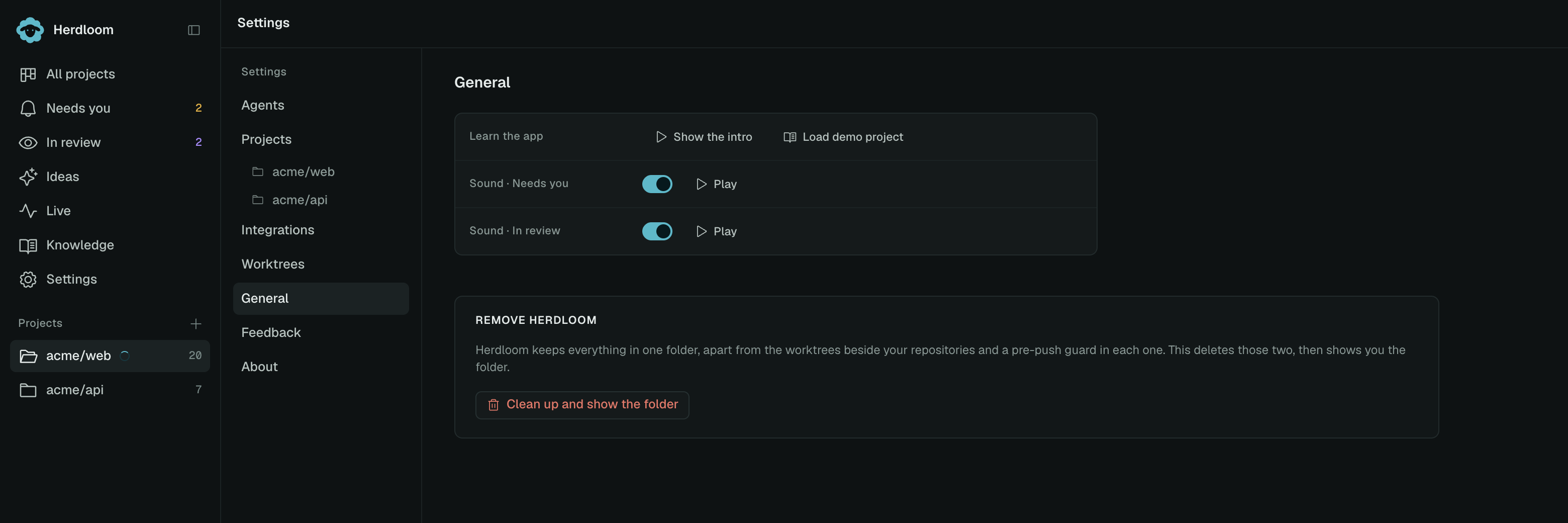
Learn the app
Section titled “Learn the app”Show the intro replays the six pages shown on first launch: a ticket crossing the board, a knowledgebase filling up, triage and Clarify, the Jira and GitHub watchers, the agents on this Mac, and the switch from assisted to hands-off.
Run the demo tour walks the guided tour over the sample project again: fifteen steps from the board through a project’s automation row by row and into the knowledgebase section. It is the real app, dimmed, with a cutout around whatever the step is talking about.
When no demo project is loaded the button reads Load demo project instead. That seeds a small repository and a board with a week of work already on it, then starts the tour. Nothing runs on the demo: starting a run is refused and autopilot skips it, so you can approve a plan, read a diff and merge a branch without spending anything. Remove it from its own settings page when you are done and the seeded folder goes with it.
Sounds
Section titled “Sounds”Two switches, each with a Play button so you can hear the sound before deciding.
Needs you is a short two-note chime, played when a ticket lands in the Needs you column: a plan to approve, a question to answer, a tool to allow, a failure to decide on.
In review is a softer tone, played when a ticket finishes its run and is ready for you to look at the branch.
They are the only sounds the app makes, and they are the reason you can leave the board on a second screen and get on with something else.
Remove Herdloom
Section titled “Remove Herdloom”The card at the bottom is the first half of uninstalling.
Herdloom keeps everything in one folder, apart from two things it put elsewhere: the worktrees beside each repository, and a pre-push guard inside each repository that stops agents pushing your base branch. Those are the parts you would struggle to find by hand.
Clean up and show the folder deletes the worktrees, takes the push guard back out of each repository, restoring whatever hook was there before, and then opens the one remaining folder in Finder and names the two steps left: quit and drag the app to the Bin, then delete that folder.
It asks first, and it refuses while an agent is running. Repositories, branches and commits are not touched.
Removing Herdloom covers the whole process, including what is left behind and what is never touched. Take the tour is the demo project explained in full.