
The board
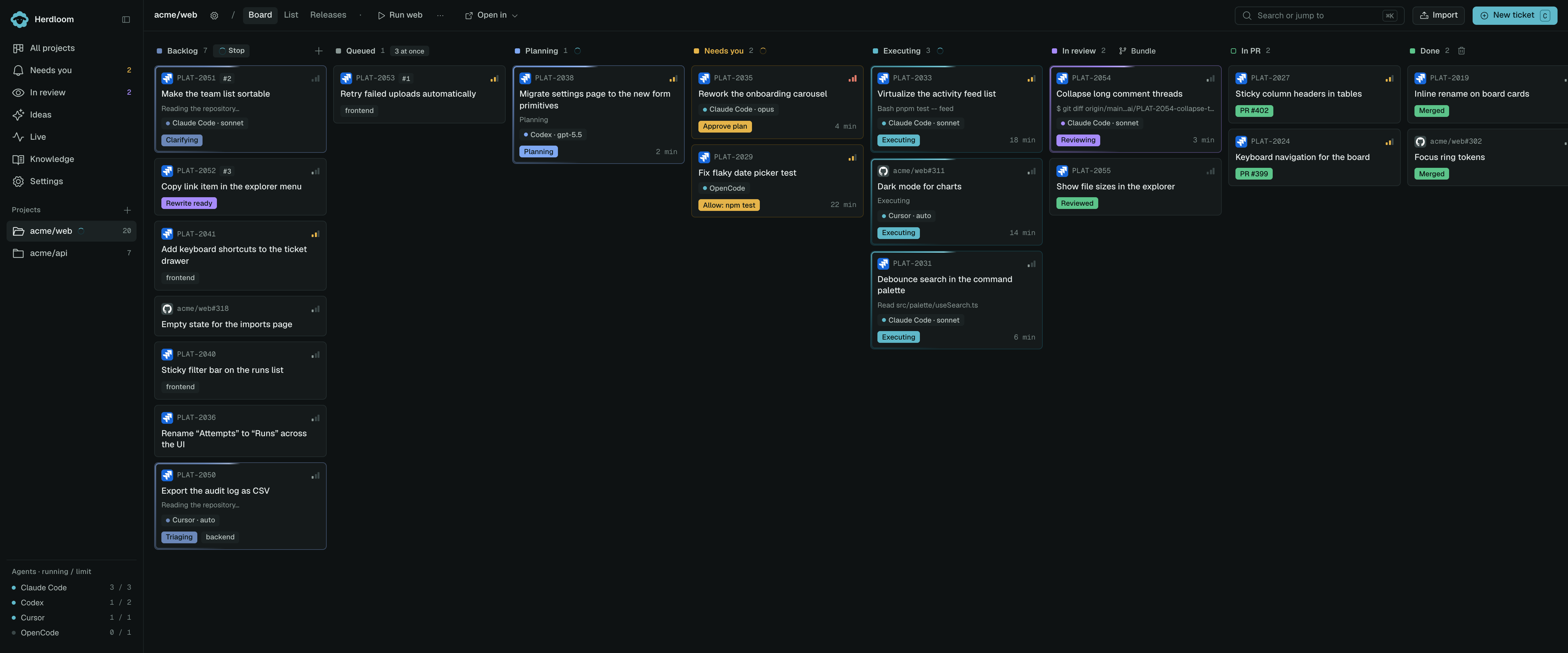
The board shows your tickets in eight columns, left to right. A ticket sits in exactly one of them. If you are still shaping the work, start in Ideas. Accepted proposals become tickets here; draft proposals stay in the conversation.
The eight columns
Section titled “The eight columns”Backlog. Where tickets arrive: accepted from Ideas, typed, imported from a tracker, or picked up by a watch. Triage runs here. Nothing else starts from Backlog unless the project’s rules say so. Use Pause on a shared work item to stop its active work without changing membership.
Queued. Use Bundle or Bundle and queue to choose a work item before starting new tickets. Tickets wait for a slot, their prerequisites, and exclusive access to their shared checkout. Different work items can run in parallel; only one ticket in each item works at a time.
Planning. An agent is reading the repository and writing a plan. Herdloom moves the card here.
Needs you. A person has to decide something: approve a plan, answer a question, grant a permission, deal with a failure. Amber, and the only amber in the app.
Executing. An agent is changing code on the work item’s shared branch. The card shows the agent, the model and the file it is editing right now.
In review. Commits exist, verification passed, and where the project uses a second agent, that agent has given a verdict. A work item waits for all members, then you choose manual approval or a combined check before opening its PR or merging. Every ticket ships through its work item.
In PR. A pull request is open. Merge it from the drawer, or let Herdloom notice when it merges on GitHub.
Done. Merged into the base branch locally or on GitHub. If GitHub merged it but the local checkout could not update safely, Sync needed links to Changes.
Counts and colours
Section titled “Counts and colours”Each column header carries a small square in the column’s own colour and the number of tickets in it. Needs you is amber, In review is violet, and the sidebar repeats both as a badge so you can see them without opening the board. When the sidebar is collapsed, the Needs you count becomes a pulsing amber dot.
On a card, the dot beside the agent name is that agent’s colour, the same one used in the agent list at the foot of the sidebar, where each agent shows how many tickets it is running against its limit. A card also carries its key, priority, labels, a rank badge once triage has placed it, a triage flag where triage found a problem, and the review verdict once a reviewer has looked.
Shared-ticket cards also name their work item. Its panel above the columns shows progress, Pause, Run app, and shipping controls. Expand it to see the members and combined acceptance findings.
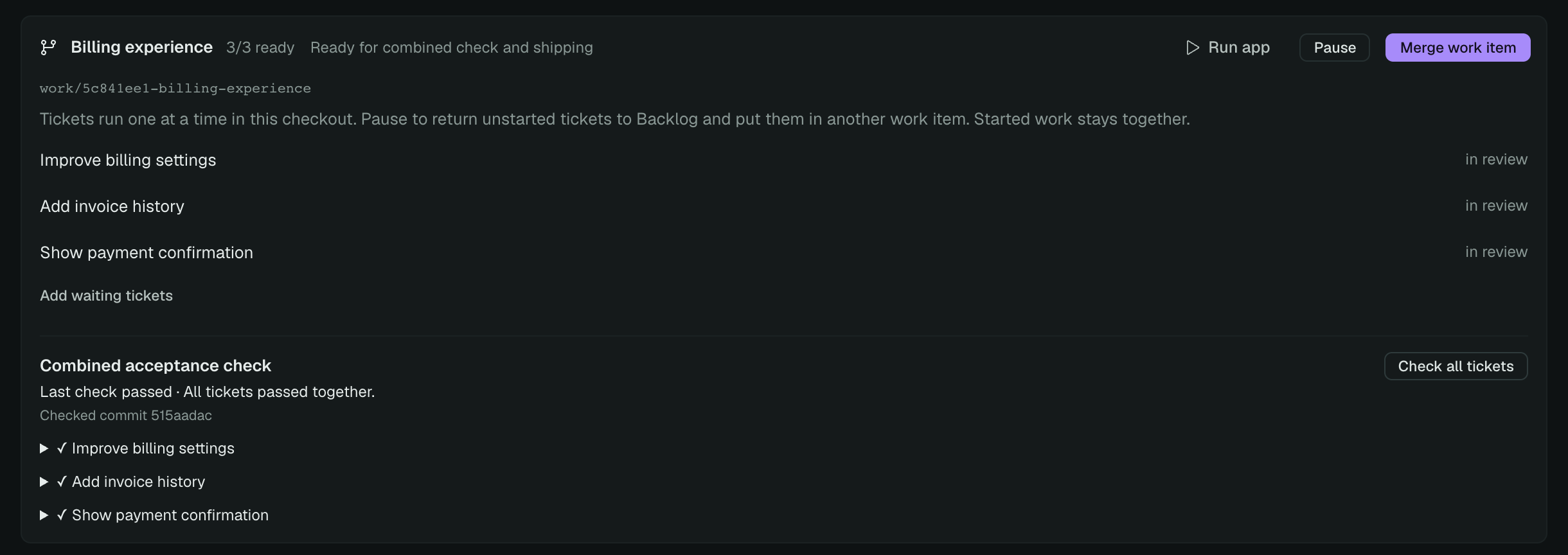
Use the work-item controls to pause or regroup shared tickets. Column moves cannot bypass the bundle’s ownership and shipping checks. See work items.
Every project at once
Section titled “Every project at once”With no project selected, All projects puts each project on its own swimlane, all eight columns wide. The lane header says how many tickets the project has, how many are in flight against its limit, and how many are waiting on you.
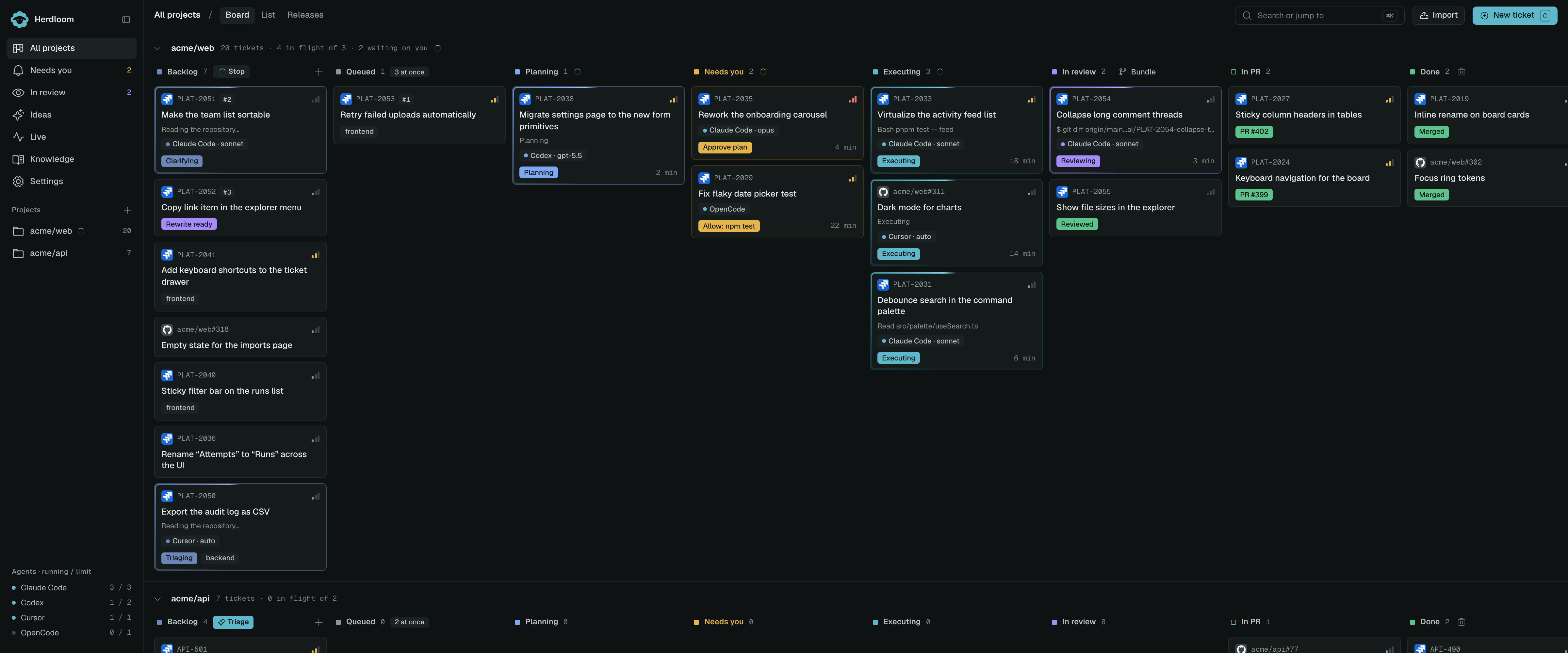
Selecting a project in the sidebar shows that project’s board alone, with a gear for its settings and buttons to run the app or open it in your editor.
List view
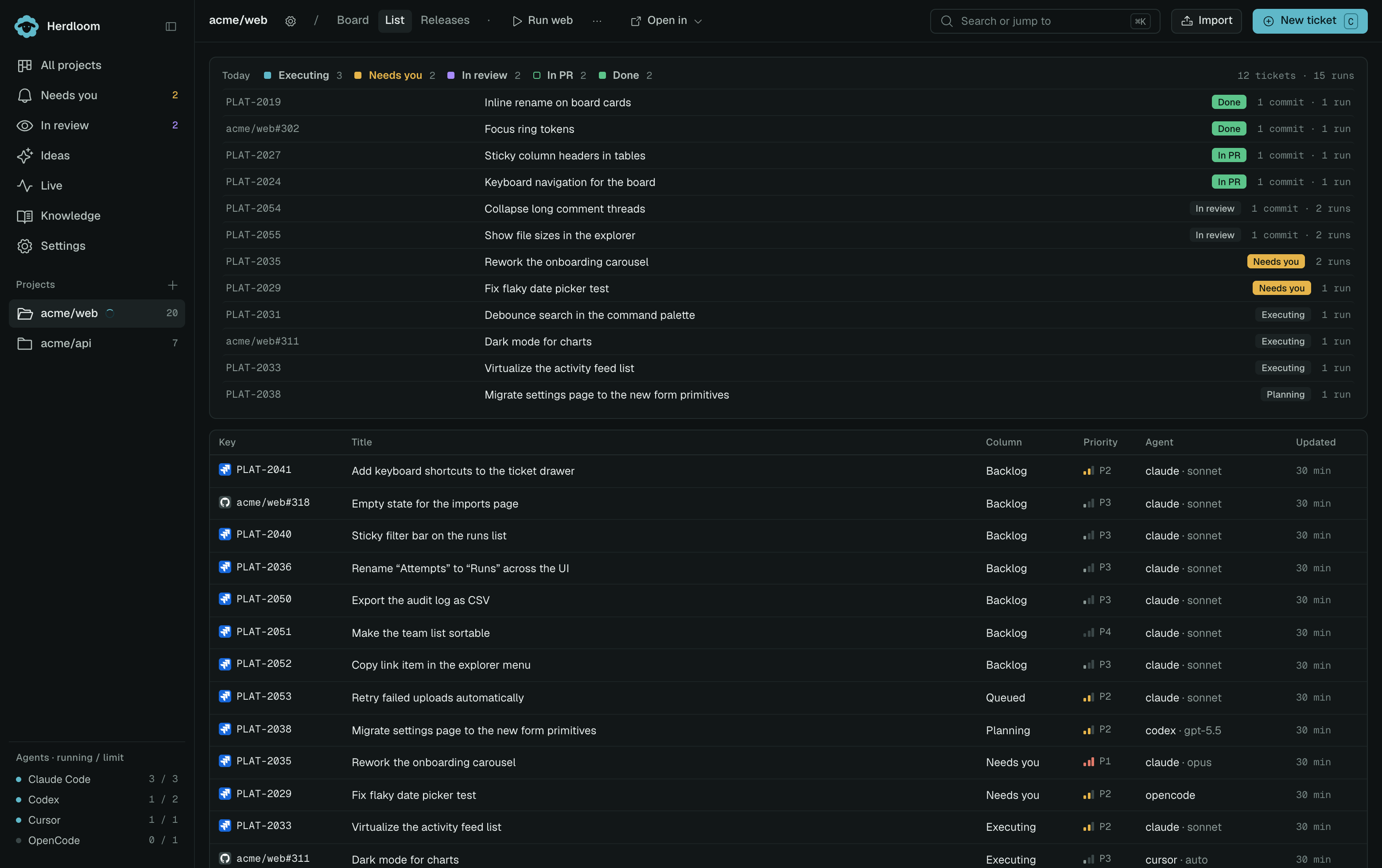
Section titled “List view”The List tab shows the same tickets as a table: key, title, column, priority, agent and when it was last updated, above a strip of today’s activity.
Read what a card actually holds in Tickets, or follow one across the board in Phases of a run. To put the Backlog in order before anything runs, see Triage the backlog.